10 PPT Activities for Online Teaching – 02: Flip Card Matching (New Version 2024/08)
This post introduces the Flip Card Matching activity from the 10 PPT Activities for Online Teaching series. It can be used as a memory matching game or as a topic selection board in the style of a game show — and it's also a great advanced application of PowerPoint's Trigger feature.
Before reading this post, I’d recommend starting with the first post in this series, which covers the basics of online teaching activity design and some key considerations.
For all online teaching activity resources, visit the Online Teaching Resource Hub, which covers interactive PowerPoint, Google tools, and more.
What the Flip Card Activity Is For
The Flip Card Matching game may not be as universally applicable as the Multiple Choice activity, but it still has a wide range of uses and can achieve the same core goals:
- Teacher-student interaction
- Checking students’ comprehension and retention
- (Advanced) Team competitions
Here are a few ways you can use it:
Memory Match: Just like the card-fishing game — helps students memorize vocabulary.
Text-to-Image Matching: Same as above, but with pictures — helps students connect words to real-world objects.
Concept Matching: As shown in the template — match a poet’s name to their literary nickname, for instance. Works for science, chemistry, history, and more.
Game Show–Style Topic Selection: If you have a large bank of questions or topics and want students to choose, this template works perfectly for that too.
Below I’ll show you how to customize the template to make your own flip card game. (If the file won’t open after downloading, see this guide.)
Software used: PowerPoint 2019 (this activity is compatible with older versions — leave a comment if you run into issues) Template font: Gensen Round H (free font, download from GitHub)
Using the Template: Flip Card Matching in PPT
Download the template below (if the file won’t open, see this guide):
Template_Flip Card Game Test Download
The file has three slides. The first two differ in the card back design; the third has images on both sides (see the next section for how to edit that version).
Open the Selection Pane (not sure where to find it? see this post), and you’ll see something like this:
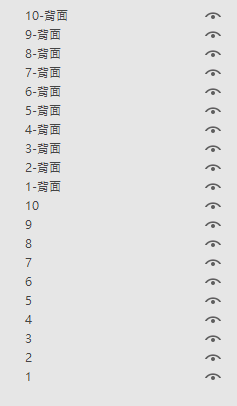
Click the eye icon next to the “non-back” elements to hide them temporarily.
Then simply edit the text on the card back elements.
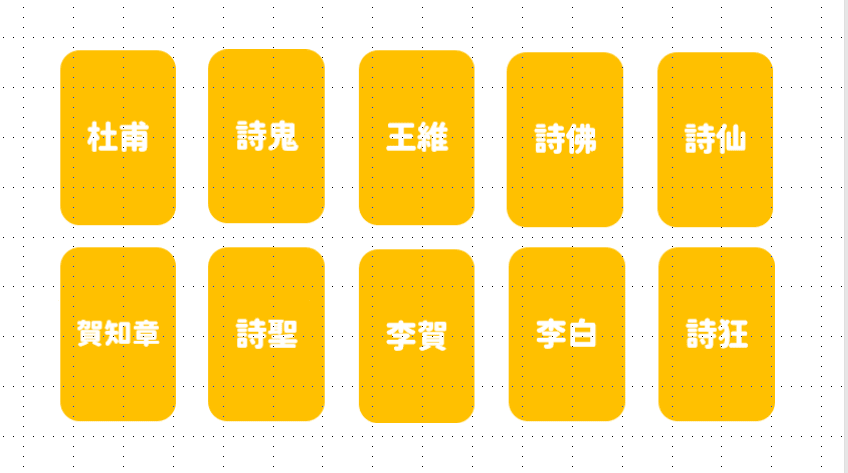
A template like this can have students match names to titles, concepts to categories, vocabulary to images — whatever works for your subject XD
Once you’re done editing, go back to the Selection Pane and click Show All, then run the slideshow.
For those who want to understand how it works under the hood: this activity applies the Trigger feature twice:
First trigger: click the card face → the face disappears (Exit) and the back appears (Enter); Second trigger: click the card back → the back disappears (Exit) and the face appears (Enter).
Feel free to take it apart and experiment :D
Image Version Flip Card (New Version Only)
If you want images on both sides of the cards, this is available in the Ver. 2 template — see the section below on how to get it.
How to edit the image version:
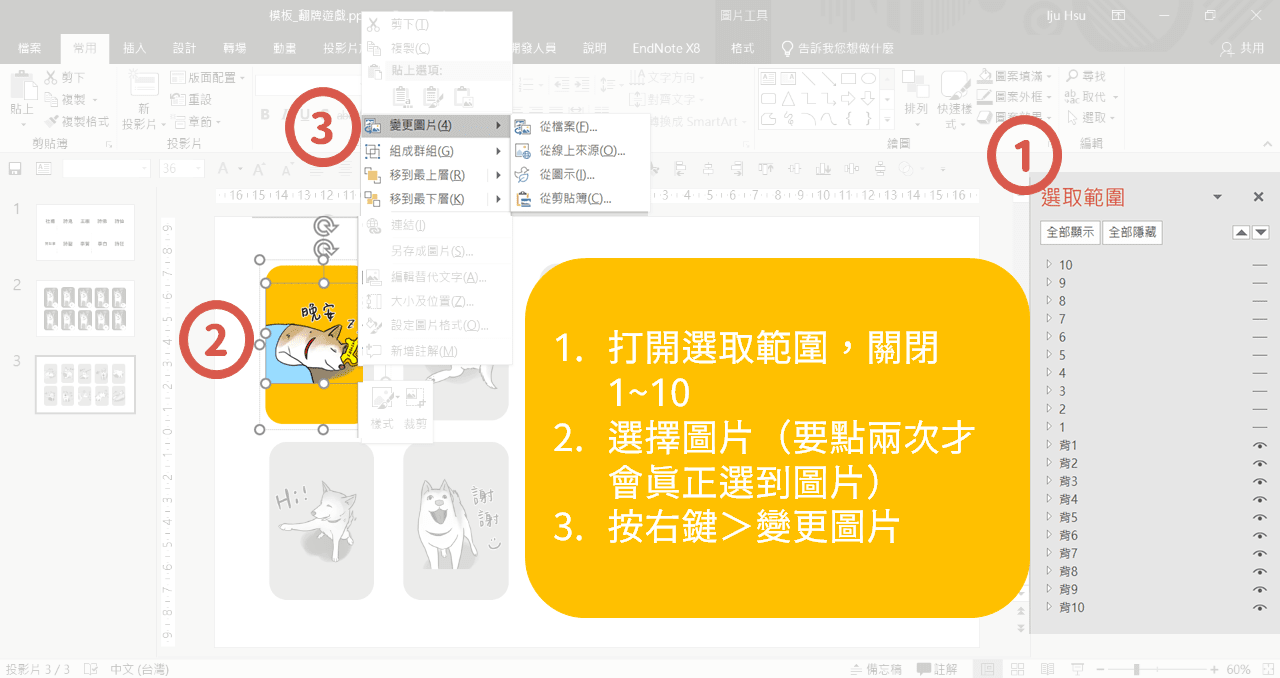
Test Version vs. Flip Card PowerPoint Template (Ver. 2)
Worth the wait, everyone!
Based on a lot of feedback, I rebuilt the original template from scratch. The Flip Card PowerPoint Template (Ver. 2) is now available.
If you only need a text-based flip card game, the free test version is all you need. If you need a version with image cards, a small contribution gets you the full template.
I’d recommend trying the test version first to make sure it fits your needs before deciding on Ver. 2.
Test Version
Text-only flip card game.
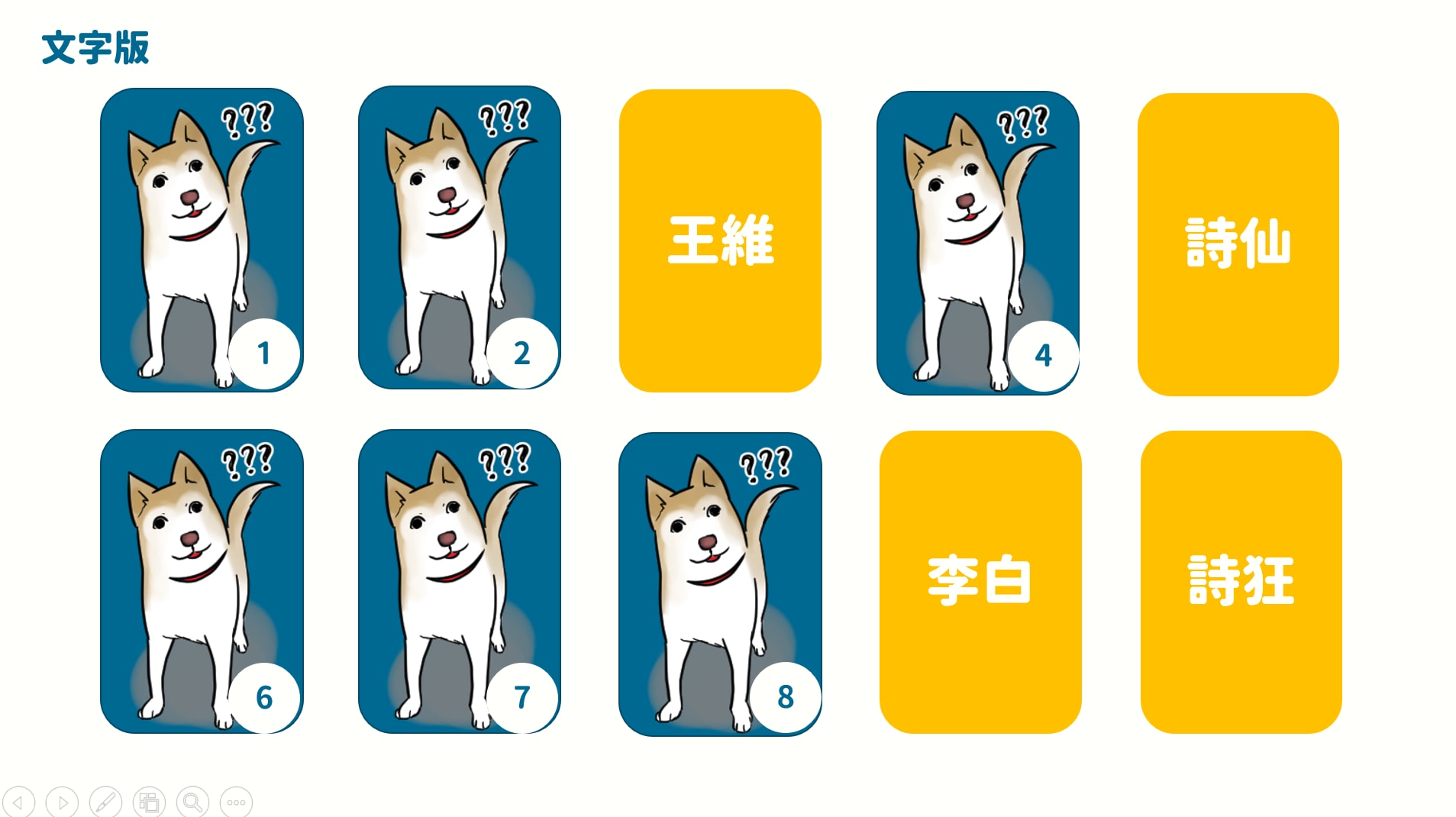
- Text-only flip card game.
FREE
Flip Card PowerPoint Template (Ver. 2)
Includes both text and image versions of the flip card game.
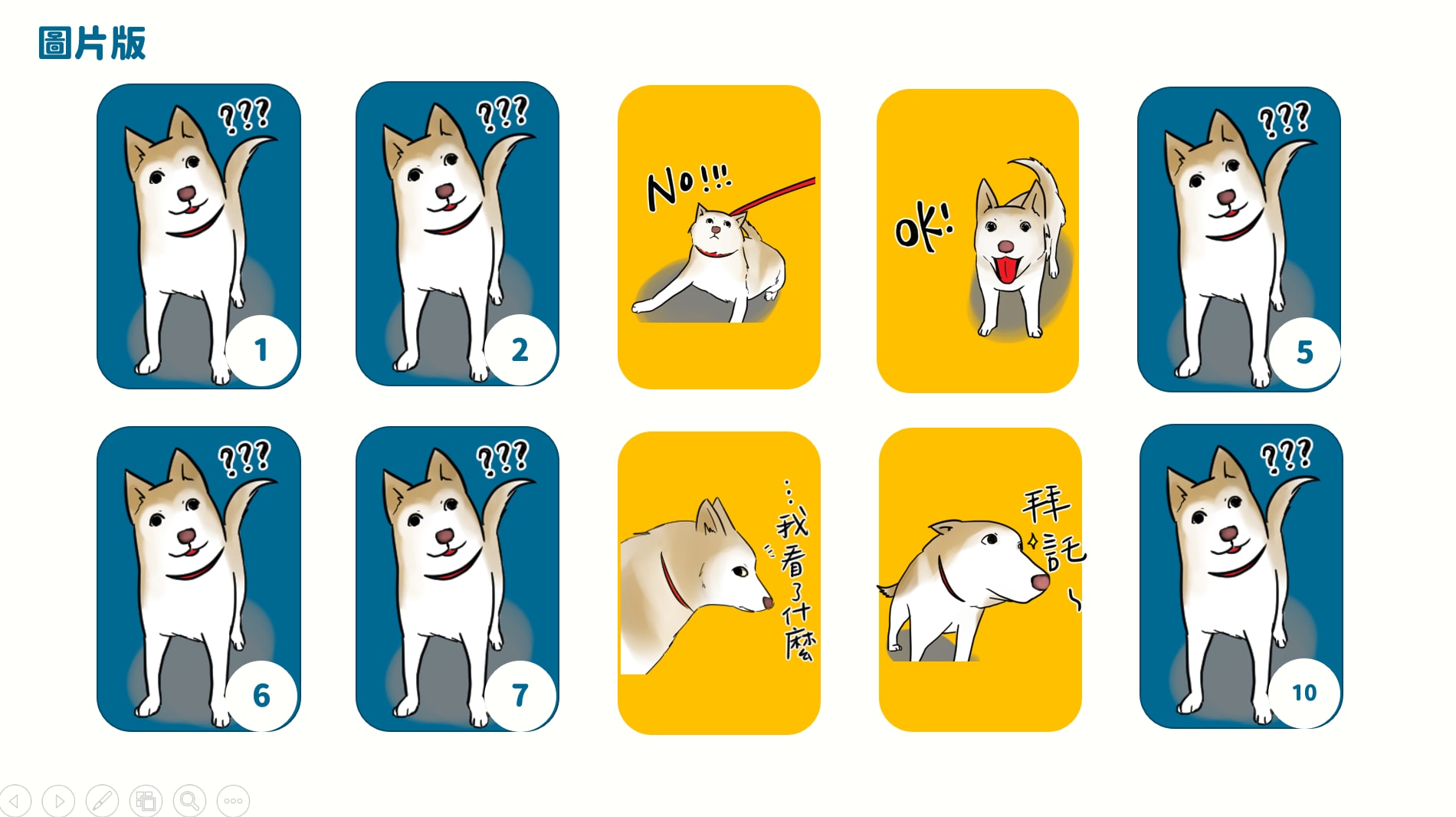
- Text version of the flip card game;
- Image version of the flip card game;
- Support via email for any questions about using the template.
Support to get access
How to Get the Flip Card PowerPoint Template (Ver. 2)
If you’ve tried the test version and want to upgrade, here are two ways to support and get the full template.
If neither option works for you, feel free to reach out by email or via the Facebook page to discuss other options.
PayPal.Me
Use a PayPal account to send a contribution of NT$150 or USD$5 or more. Once completed, send an email or Facebook message and Iju Hsu will reply within 3 days.
Buy Me a Coffee
Click the coffee icon in the lower right corner of the site and contribute USD$5 or more. Credit cards and Google Pay are accepted.
Once completed, send an email or Facebook message and Iju Hsu will reply within 3 days.

Flip Card PowerPoint Template (Ver. 2) — License & Terms of Use
- License scope: This template is for personal and non-commercial use only. Any commercial use requires written permission from ijuhsu — Mostly Harmless.
- No redistribution or copying: Without explicit written permission from ijuhsu — Mostly Harmless, you may not distribute, sell, rent, transfer, or share this template with any third party. Copying, modifying, reverse engineering, decompiling, or creating derivative works is also prohibited.
- Copyright notice: All content in this template — including but not limited to designs, text, images, and concepts — is the property of ijuhsu — Mostly Harmless and is protected by copyright law and international copyright treaties.
- Limitation of liability: ijuhsu — Mostly Harmless is not liable for any direct or indirect losses arising from the use or inability to use this template.
- Consequences of violation: Any violation of these terms will result in ijuhsu — Mostly Harmless taking all necessary legal action and seeking compensation for related losses.
- Refund policy: As this is a digital product, no refunds are available once the template has been downloaded or delivered. We strongly encourage you to download and try the free test version before purchasing to confirm it meets your needs. Purchasing the template constitutes your agreement to this refund policy.
Flip card games are remarkably flexible — memory matching, team competitions, even a tarot card fortune-telling activity if you want to get creative XD
I hope this was helpful. If you have any questions or requests, feel free to leave a comment anytime!
For all PowerPoint activities in the Online Teaching series, see:
10 PPT Activities for Online Teaching – 13: Lottery Adventure RPG
Iju Hsu · 2021/06/28 · 12 comments
This post introduces the Lottery Adventure RPG from the 10 PPT Activities for Online Teaching series — a pixel-art adventure game built into a PowerPoint presentation that gives students the feeling of progressing through quests.
Thanks again, and happy teaching!
Thanks for reading :D
If you enjoyed this post, feel free to click the coffee button in the lower right to support us and give Lottery a can 🐾
Comments