10 PPT Activities for Online Teaching — 12 Snakes & Ladders (with myViewBoard)
This post covers the Snakes and Ladders activity from the 10 PPT Activities for Online Teaching series — combining PowerPoint with myViewBoard for a team competition game that adds a luck element to make things even more exciting.
Before diving in, I’d recommend reading the first post in this series, which covers the goals and key considerations for online teaching activities.
For all online teaching activity resources, visit the Online Teaching Resource Hub — interactive PowerPoints, Google tools, useful apps, and more.
What This Activity Is For
I keep getting new ideas, but renaming the series title is such a hassle — so any fun new templates will just keep using the same series name.
Snakes and Ladders is a classic board game (I played it all the time as a kid XD). It’s perfect for team competitions — pair it with content questions and you’ve got a great teaching activity!
This version was originally designed for a ViewSonic livestream, so the template is available through the Facebook group rather than a direct download.
The board was used with myViewBoard’s whiteboard during the session, but the underlying file was built in PowerPoint — I just used myViewBoard’s tools for the interactive pieces (since myViewBoard can turn images into moveable objects). So it still counts as a PowerPoint template XD
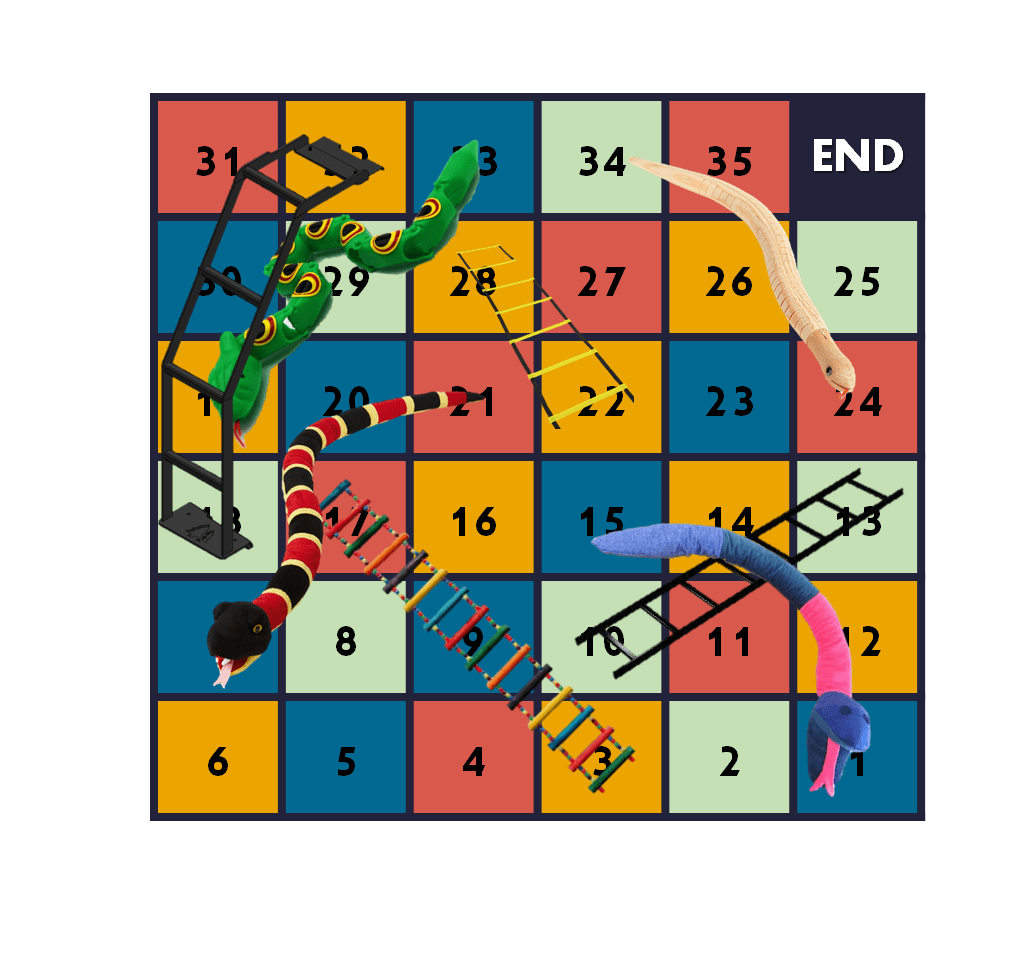
How to play:
- Insert an image as a game piece (or use the default pieces included in the template — *note: the rabbit piece appears hidden because the board layer is covering it; move the left-side board image to the bottom of the layer stack to fix this)
- Roll the dice to determine how many squares to move
- Landing on a square (a specific color) lets you click the small triangle under the question bank in the top-right to draw a question card — answer the question to proceed
- Landing on a ladder always moves you up; landing on a snake always moves you down
(If you’re already at the top of a ladder, you stay put; similarly, landing on the square below a snake’s head has no penalty) - Winning conditions are flexible — decide based on your teaching needs
Join the Facebook group to access the download. The file needs to be opened with myViewBoard. For myViewBoard-related questions, you can ask directly in the group; for basic myViewBoard usage, refer to: myViewBoard Digital Whiteboard Tutorial Series
Requirements:
Software: myViewBoard
Using the Template: Snakes & Ladders in myViewBoard
What you can customize:
- Moveable game piece icons
- Dice: add more dice or change the faces
- Questions: drag a question card out to edit the text; you can also duplicate text boxes. After editing, remember to move the text box layer to the bottom
The gameplay and customization process were covered in detail during the ViewSonic livestream — please watch the video before asking questions!
Hope this is helpful!
If you have any questions, or there’s an activity type you’d love to see, feel free to leave a comment anytime!
For all PowerPoint activities in the online teaching series, see the latest post in the series.
Thanks again — wishing everyone smooth and enjoyable online teaching!
Thanks for reading :D
If you enjoyed this post, feel free to click the coffee button in the lower right to support us and give Lottery a can 🐾
Comments