comic
How to Read Invitation of Mystic Messenger for Free (or Avoid PayPal Exchange Rate Traps)
What Is Invitation of Mystic Messenger?
Invitation of Mystic Messenger is the official webtoon adaptation of Cheritz’s otome game Mystic Messenger (click for the game intro and Another Story walkthrough). It’s available in Korean, Indonesian, and English.
For a full story overview and episode-by-episode summaries, check out this post:
Invitation of Mystic Messenger — Official Webtoon Introduction & Episode Guide
You can read the English version here.
The English version is probably what most of you will be reading, but only the first three chapters are unlocked by default. This post walks through Tappytoon’s membership system so you can read for free — or pay for it properly. Creating content is hard work, so please support the official release and skip the pirated versions!
Creating a Tappytoon Account
Tappytoon is an online webtoon reading platform.
First things first — let’s get you an account. I’ll be using the web version here, but the app should be pretty much the same.
When you land on the homepage, click “Log in” in the top right corner.

You’ll see a bunch of login options — pick whichever you prefer. Personally, I’d recommend creating a separate account with your email rather than linking a social media account, since synced activity can sometimes show up places you’d rather it didn’t XD
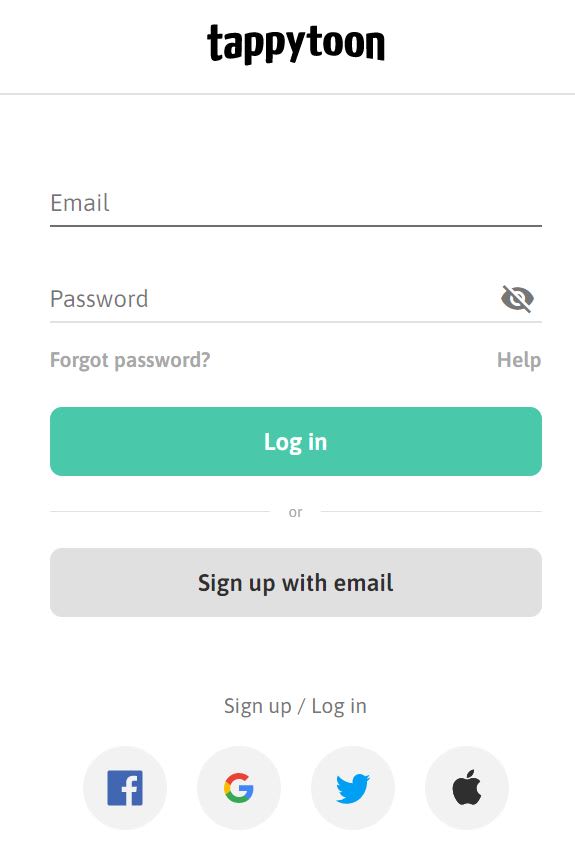
If you go the email route, just enter your email and a password. There are two checkboxes to pay attention to:
The first is the terms of service and privacy policy — required.
The second is age verification — check it if you’re 18+ and want access to adult content.
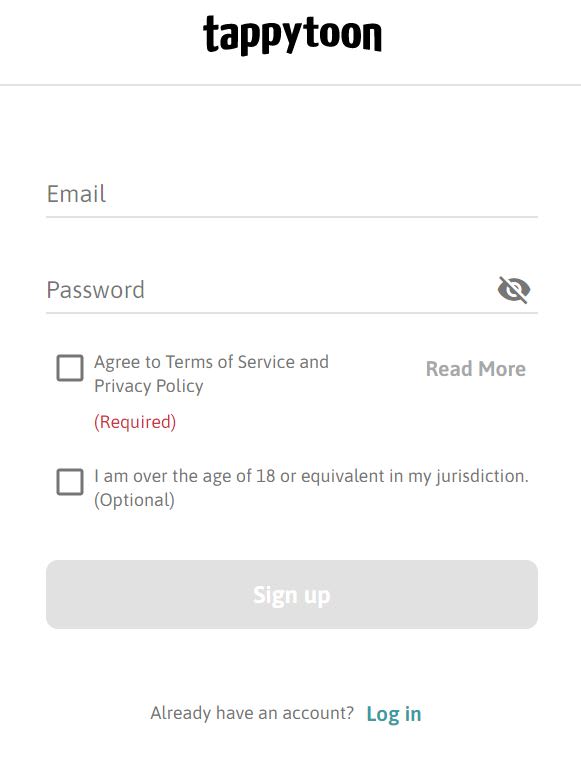
After that, you’ll get a confirmation email to activate your account. Done!
How Tappytoon’s Reading System Works
Let me walk you through how Tappytoon works.
Most comics have the first three chapters free. After that, you’ll need either Tokens (T-coins) or Points (P-coins) to unlock new chapters.
For Invitation of Mystic Messenger specifically, each chapter costs 3 T-coins or 300 P-coins. T-coins are purchased with real money; P-coins can be earned by completing tasks or watching ads.
Here’s a breakdown of both options.
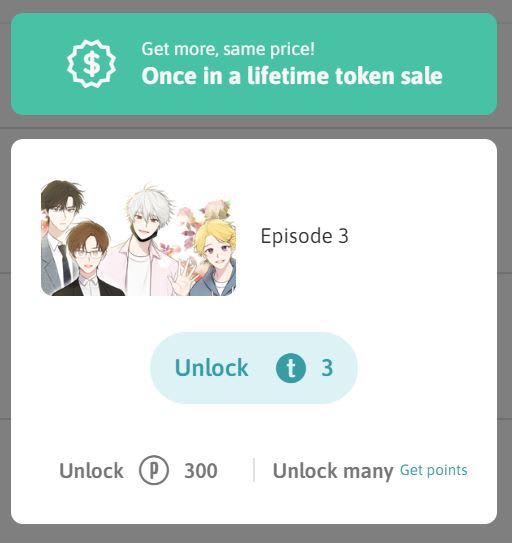
Free Method: Watch Ads to Earn Points (P-coins)
Tappytoon is actually pretty generous — you can earn Points just by watching ads. Of course, “free” really means you’re spending time instead of money. But if you’re on a budget, it’s a totally valid way to read your favorite comics.
To earn P-coins, you’ll need the app — I couldn’t find an ad-watching or task section on the web version:
Google Play | iOS
I’m on Android (Pixel 4 XL), so I’ll be walking through the Android experience. iOS users — feel free to ask if something looks different on your end!
Log In and Verify Your Email
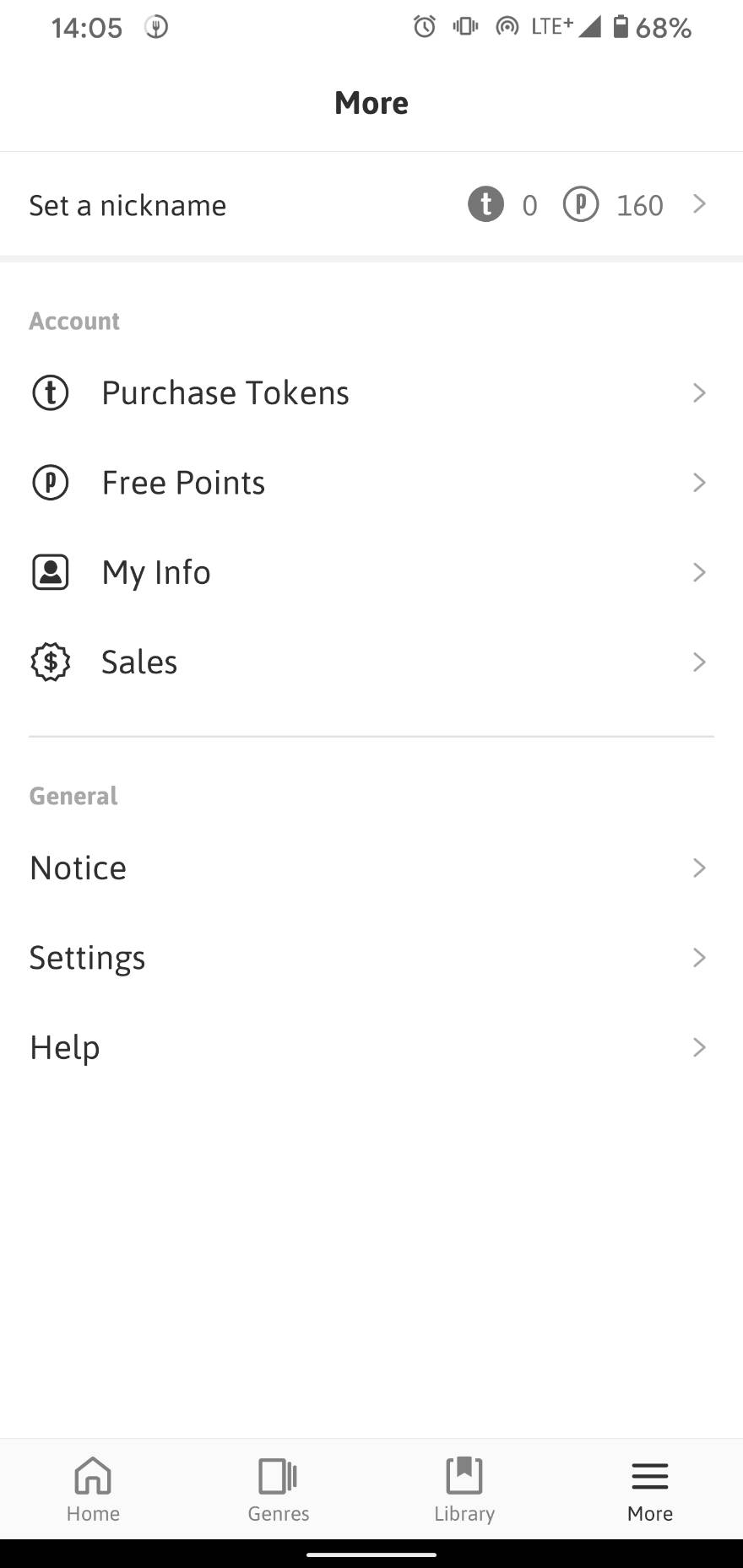
Once you’re in the app, head to “More” in the bottom right corner. This section comes up a lot, so remember it. Before you start earning coins, go into “My Info” and make sure your details are correct and your email is verified. If your email isn’t confirmed, you won’t be able to earn coins — so don’t skip this step.
Start Earning P-coins
Once your account is all set, I’d recommend restarting the app to refresh everything.
Then head back to “More” and tap “Free Points.”
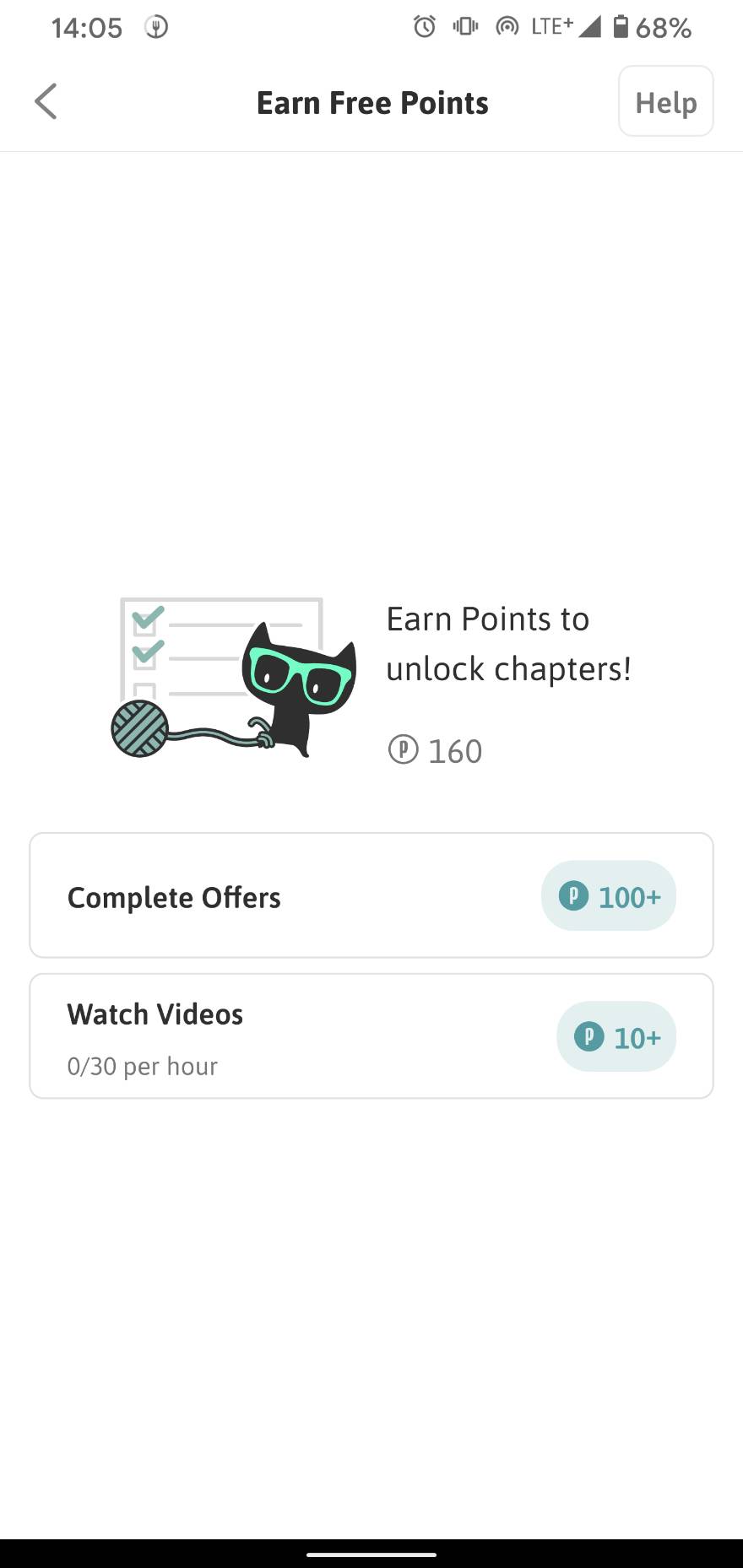
You’ll see two options: “Complete Offers” (play games, fill out surveys, etc. for larger point rewards) and “Watch Videos.” I wouldn’t really recommend the Offers route — games eat up time and surveys ask for personal info. Stick with “Watch Videos” instead. Each ad only gives you 10 P-coins, but you can watch up to 30 ads per hour and each one is about 30 seconds long. Throw it on while you’re watching TV or just chilling, and it won’t feel like much of a time sink.
Using P-coins to Unlock Chapters
Once you’ve saved up enough P-coins, just tap the chapter you want, select “Points,” and it’ll unlock instantly. It’s almost too simple to screenshot XD
Paid Method: Buy Tokens (T-coins) with a Credit Card
If you’d rather save time — or you want to support the creators — buying T-coins is the way to go.
Using P-coins to read one chapter takes at least 30 seconds × 30 ads = 15 minutes, and you’re capped at 30 ads per hour. T-coins are just way less hassle.
Here’s how to buy on the web version. Note: because of iOS payment restrictions, Tokens purchased on Android can only be used on Android and web — they won’t transfer to iOS.
Log In and Go to the Purchase Screen
After logging in, double-check that your email is verified. Then click “Menu” in the top right and you’ll see the “Purchase Tokens” option.
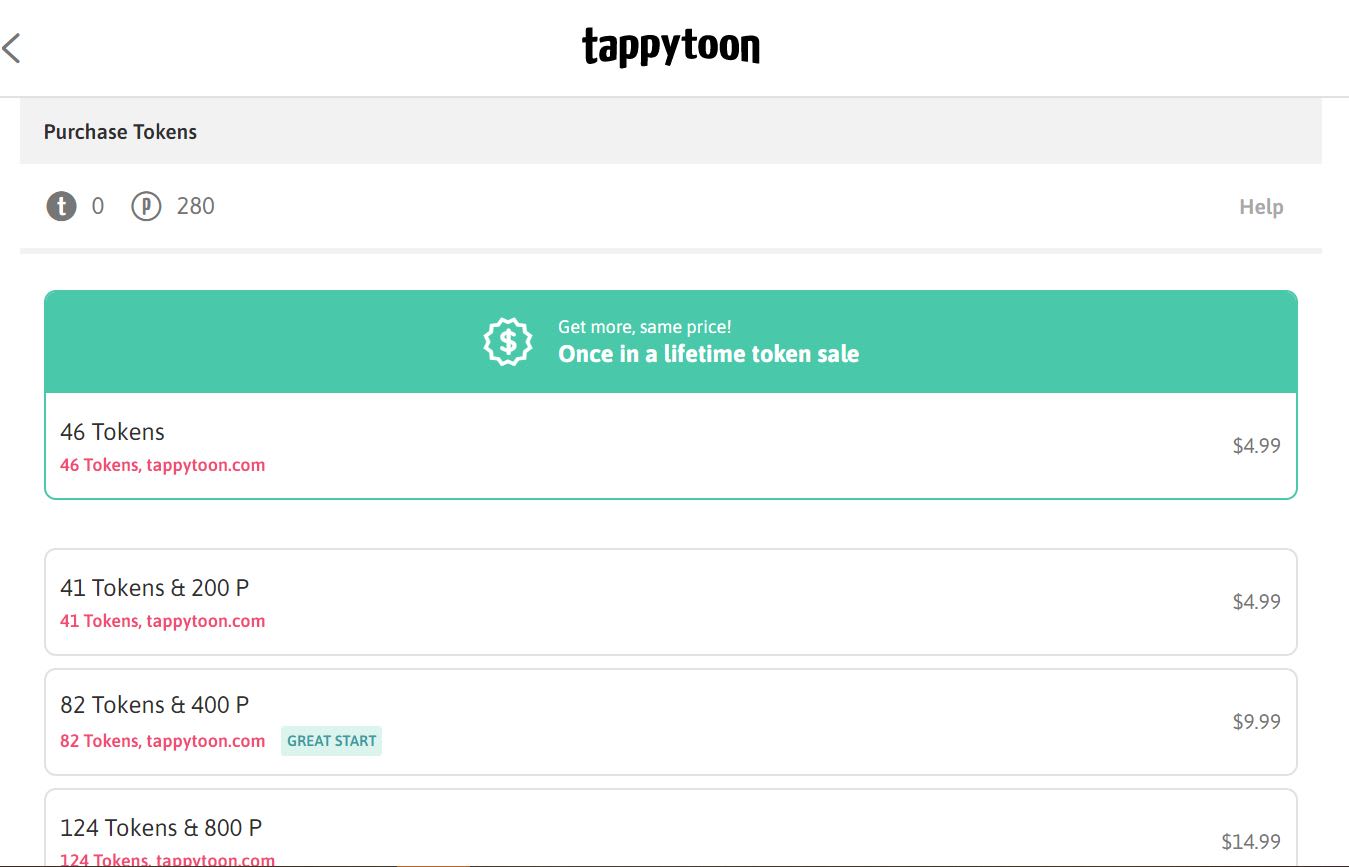
You’ll notice there’s a sale going on — $4.99 USD gets you 46 T-coins, which covers 15 chapters of Invitation of Mystic Messenger (the Korean version was at 23 episodes at the time I wrote this). That works out better than the “41 Tokens & 200P” bundle listed below it. I’d go with the $4.99 option.
Select your plan, scroll to the bottom, and click “Pay with PayPal.” We’re switching to PayPal for checkout — but watch out for the exchange rate trap (more on that below).
Setting Up PayPal
If you don’t have a PayPal account yet, go set one up first — that way you’ll always have a record of your transactions. If you already have one, or you’re fine using guest checkout, skip ahead.
Head to the PayPal website: https://www.paypal.com/tw/home
Click “Sign Up” in the top right, choose “Shop with PayPal,” fill in your details, and you’re done.
Logging Into PayPal
Back on Tappytoon’s purchase page, click “Pay with PayPal” and enter your account credentials. The amount will show in the top right corner. Now choose your payment method.
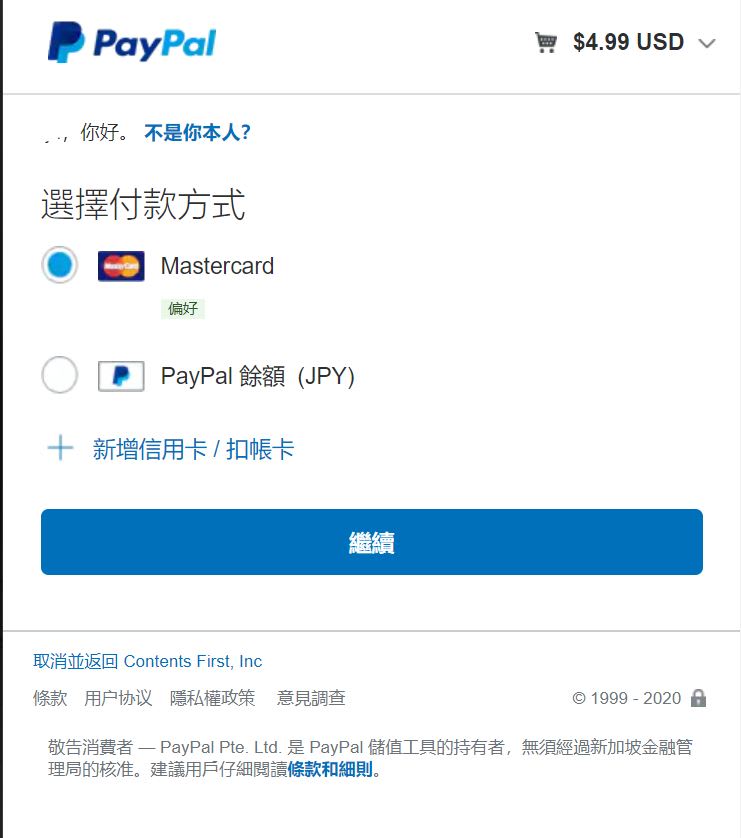
I’d recommend paying with a credit card.
I personally use the SinoPac DAWHO card, which gives up to 8% cashback on foreign currency transactions (plus 2% on domestic; you can apply here with my referral code: Z43N9C8).
Taishin’s Flygo card (3%) and E.SUN’s Ubear card are also options — not quite as good as DAWHO, but still decent.
Add your credit card and select it for payment.
But — hold on — watch out for the exchange rate issue!!!
When you select your card, the top right will still show $4.99 USD — but the amount shown next to your card might suddenly say NT$154. That’s PayPal applying their awful exchange rate. At the time I wrote this, the actual rate was around 29.X — PayPal was charging closer to 31. And since the DAWHO card’s cashback only applies to foreign currency charges, there’s no reason to let PayPal convert it.
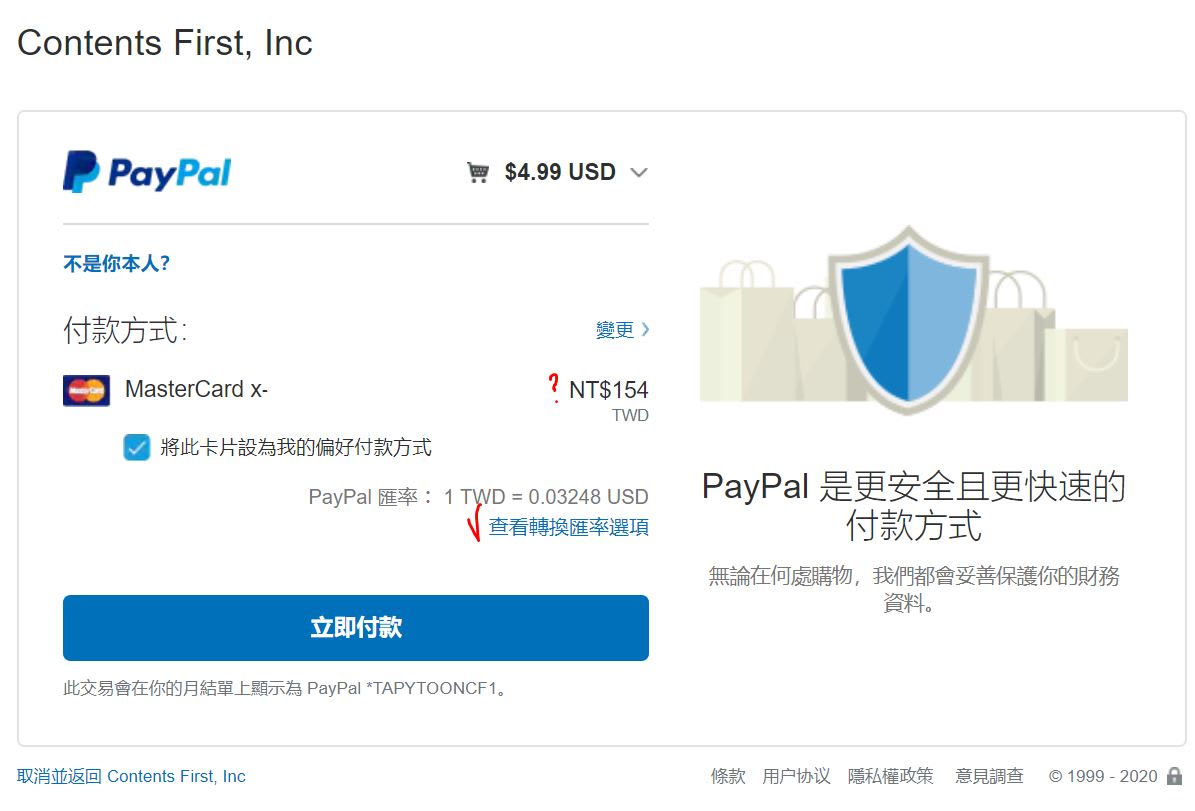
Click “View exchange rate options” and you’ll see this screen:
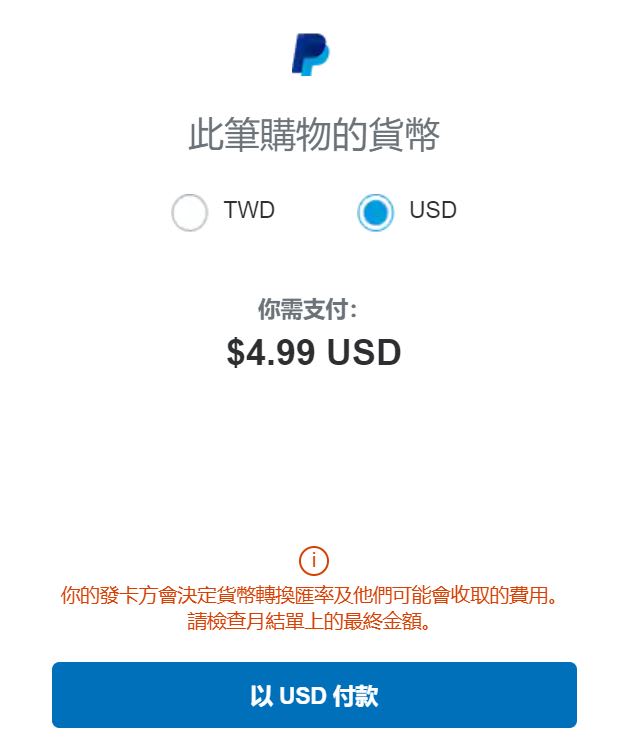
Switch the option to USD. There’ll be a red warning — ignore it. Your credit card’s exchange rate will always be better than PayPal’s. You’ll be taken back to the previous screen, and you can confirm it now shows USD.
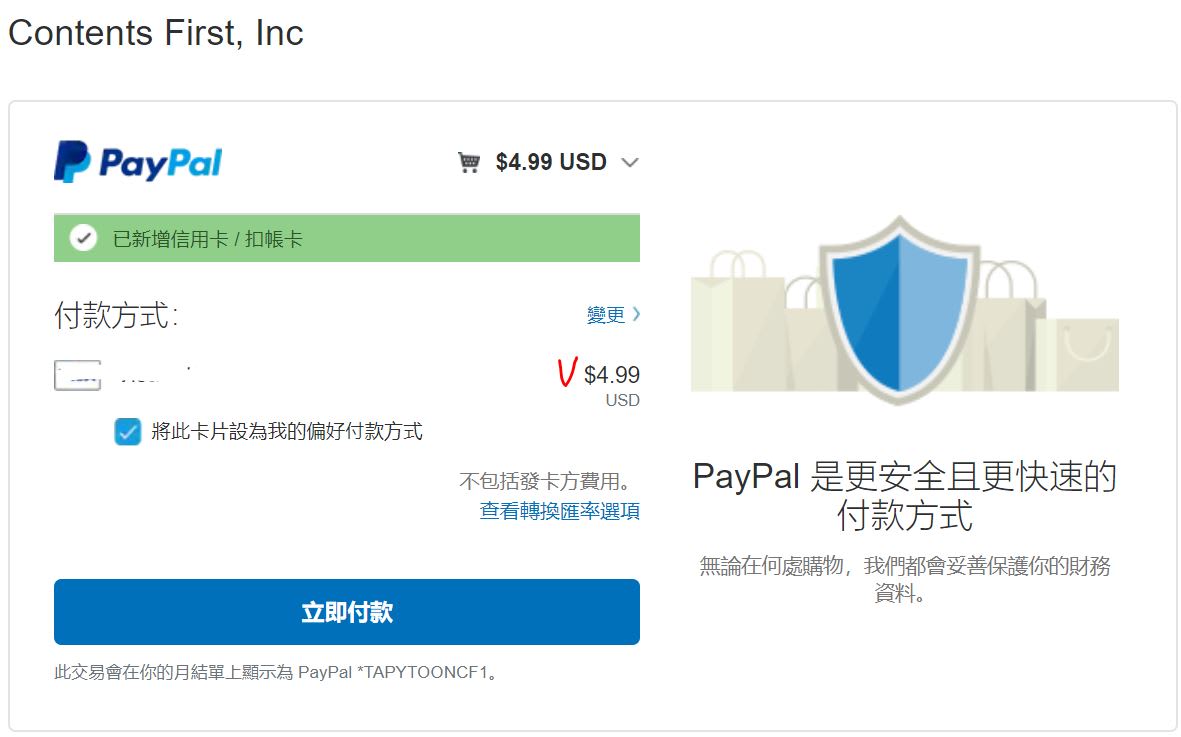
Once everything looks right, hit “Pay Now” to complete the purchase. My card notification came through almost instantly — super fast.
Your Tokens should appear in your account right away. Congrats!
…That said, I ran into a glitch myself XD
If your Tokens don’t show up, report it here. As long as you have your PayPal receipt, it’ll get sorted out — mine was resolved within an hour.
If you hit the same issue and don’t know what to do, feel free to ask me!
Option Three: Read My Summaries XD
If both of the above options feel like too much effort, there’s always my episode guide!
Feel free to check in regularly at Invitation of Mystic Messenger — Official Webtoon Introduction & Episode Guide for my plot summaries, and pair it with the official Indonesian Webtoon — which is currently free — if you don’t need a word-for-word translation.
If you have any questions, feel free to ask. Happy reading! XD
Thanks for reading :D
If you enjoyed this post, feel free to click the coffee button in the lower right to support us and give Lottery a can 🐾
Comments