game
Livly Island Beginner's Guide & FAQ [Looking for Co-op Partners — Last updated: 2022/07/15]
Updates
– If any “co-op work” events come up in the future, feel free to team up with me! Just enter my ID k257fc4i to work together :D
– For the latest events, see Livly Island Events & News.
– For the full black market guide, see Livly Island Black Market Guide & Item Database
– 2022/06/13: Added gifting & trading features section + Fatty Tiko’s room
About Livly Island
It’s a chill little mobile game where you raise pets and dress up your character. I’m not usually into dress-up games, but the pets are too cute to resist XD I saw an ad for it and thought it looked completely bizarre — then somehow ended up totally charmed by it XD
The game has apparently been around for 20 years, which is genuinely impressive.
There are also so many cute little details, like the black market and the Bandit Mouse — love them <3
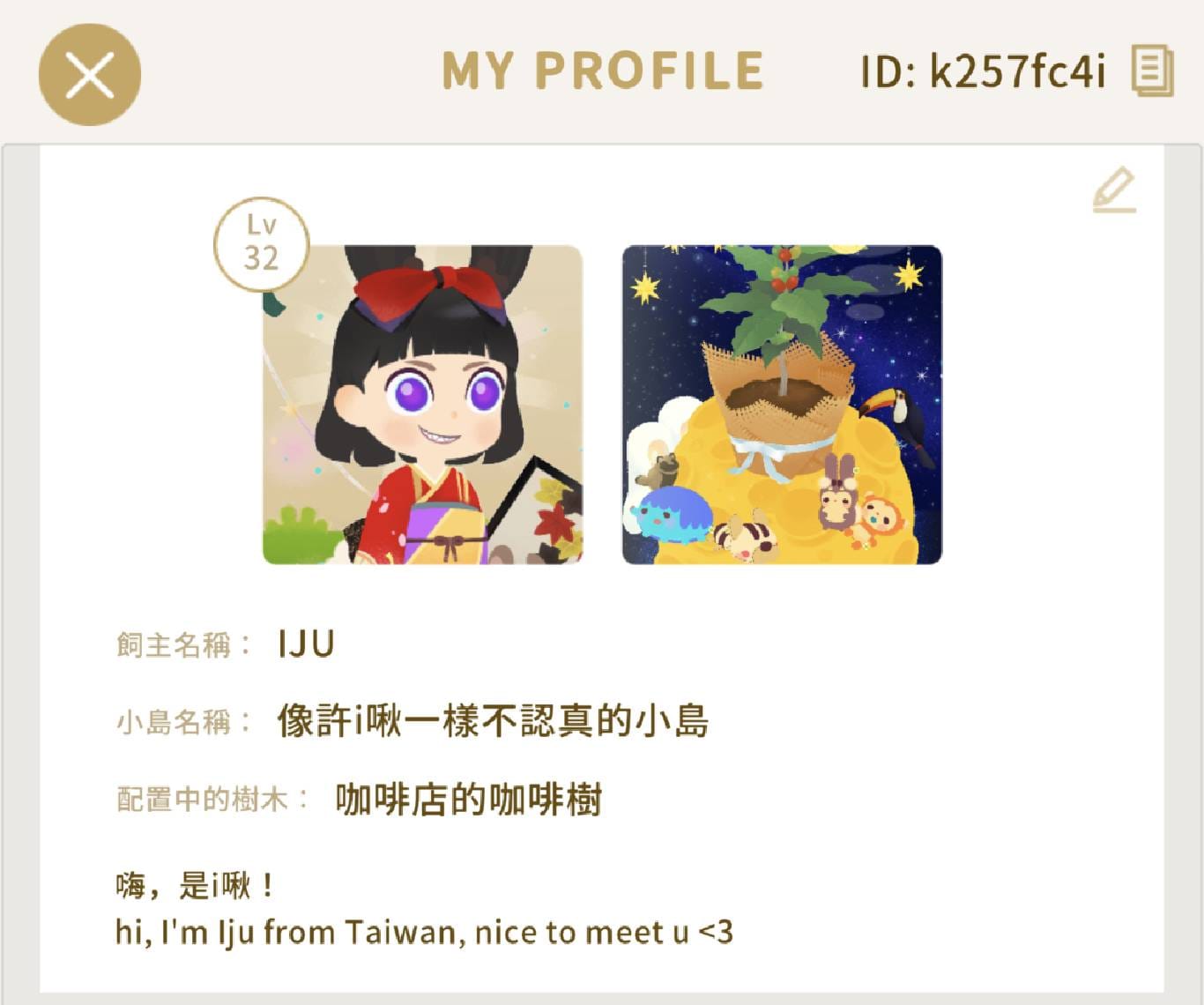
Feel free to add me as a friend! :D
ID: k257fc4i
Official channels: Facebook, Instagram, Twitter
Download: Android, iOS
Livly Island Beginner’s Guide
The game is actually pretty simple. Your Hom is basically your player character, and Livly are your pets. Your island and most Hom outfits are bought with GP, while pet food is bought with doodoo (though I’d recommend against that). Some of the terms here might sound like jargon — check the feature breakdown in the next section for explanations. For now, here’s what you should focus on as a new player 🙂
Daily Must-Dos
- Take care of your pet every time you log in.
Pets are the core of the game. I’d strongly recommend making sure your pet poops every time you log in, because doodoo is really hard to come by XD They can poop once per hour.
Bathing and feeding are less urgent — I usually only bother when there’s lab work to do. Just don’t let your pet get too hungry (fullness at 0) or they’ll run away. - Complete the “Lab Work” every day.
The day resets at 11 PM Taiwan time, and new lab work gets assigned at the start of each day. Complete it and you’ll earn GP! - Visit Fatty Tiko’s room daily to pat and feed them — you might score a big doodoo haul.
For how to get to Fatty Tiko’s room, see: Livly Island Events & News - Gift GP to friends every day.
Don’t forget to send GP to friends daily. The more friends you have, the more likely you are to get some back!
Weekly Must-Dos
- A gacha ticket arrives every Monday — don’t forget to use it.
The weekly Monday ticket has an expiration date, so make sure you use it! - For special items, check the black market every Tuesday.
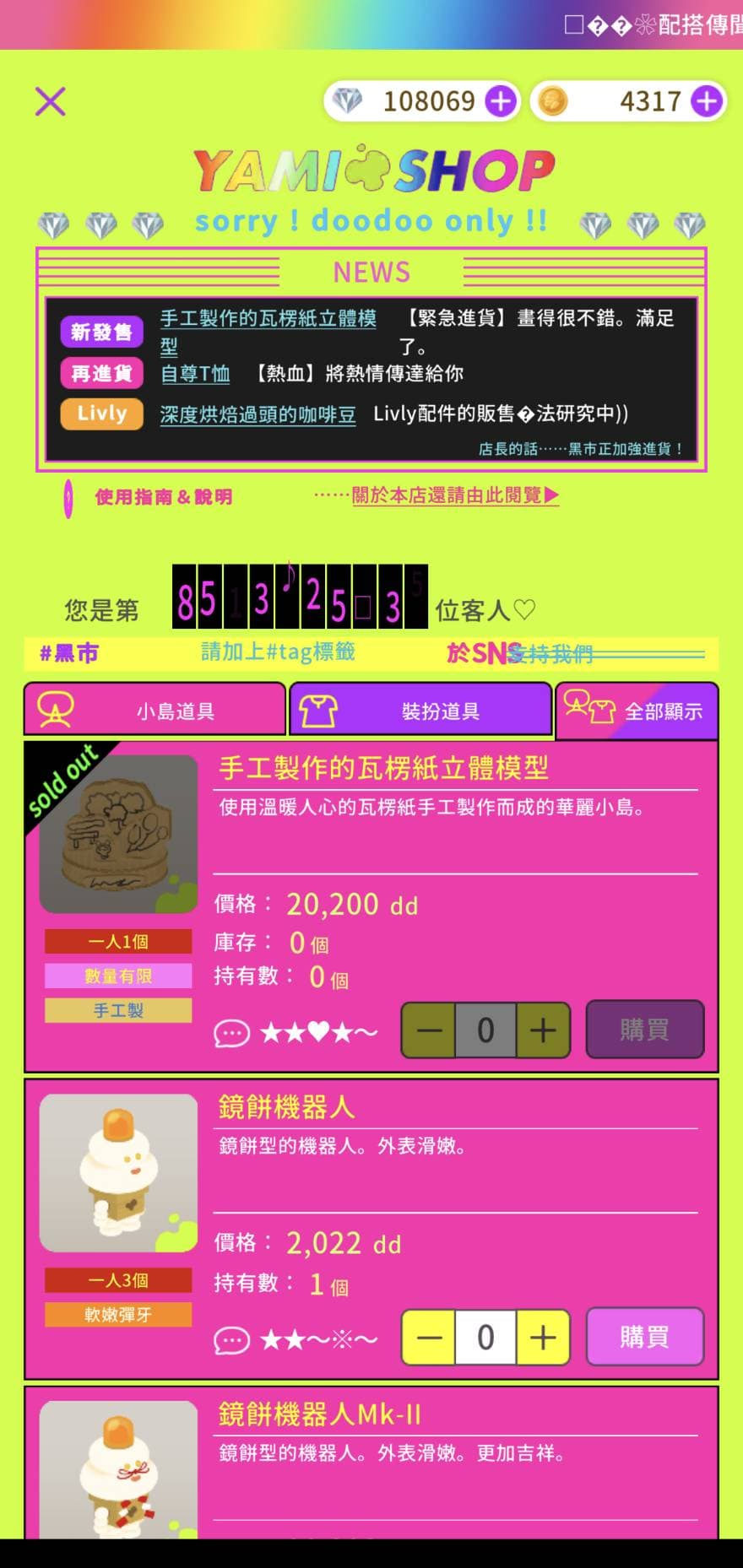
The Black Market Alert is my favorite feature. The secret entrance changes once a day, and the inventory refreshes every Tuesday evening.
You can find the daily entrance location in “bbs” → “Community” → “Shop Discussion Board” → “Black Market Intel.”
The black market is genuinely wild and I highly recommend checking it out XD That said, you can only buy there with doodoo, which is hard to get, so everything there is extra precious T_T
Other Things to Know
- Unless you want a special color, just get pet food by watering friends’ trees.
The main reason: you’ll want your doodoo for the black market to buy special items. Plus if you have enough friends, you can get tons of bugs from them. - You can reroll your pet’s birthday.
You can reroll to get the birthday you want, but in my experience dates that just passed are much easier to hit than upcoming ones. So if the birthday you want is coming up soon (e.g., today is March 20 and you want March 25), wait until after March 25 to reroll — your success rate will be way higher. - You can customize your pet’s color.
Pets have default colors, but they’ll change color based on the bugs they eat. Use the RGB magnifier to see their current color code and figure out what to feed them to hit your target. If your Hom is wearing a pet-themed outfit, your pet will also take on that color! - More pets = better.
Mainly because more pets means more doodoo XD - More friends = better.
Helping friends tend fruit trees lets you level up, earn GP, get food, and collect fruit for transformation potions. Friends are literally everything in this game! - When making transformation potions, prioritize friends who have fruit trees.
Potions need quite a bit of fruit, so randomly adding friends might mean a very slow grind. Instead, go to “livly” → “Transformation Potion,” find the potion you want, tap the fruit it needs, and you’ll see recommended friends whose trees are currently bearing that fruit. You can add them directly from there. - Use filters to quickly harvest fruit and water trees.
In your friends list, tap the sort button in the top right (mine currently says “Sort by Friend Points,” but yours might say something different), then select “Filter” to show only islands with fruit trees right now. You can also add favorite players to a group for easy access. - Don’t recommend spending GP to refill Hom Power.
Hom Power is used to help others tend their trees, but there’s really no reason to spend GP on it — Hom Power refills crazy fast, one point per minute. - Use the gift and trade features to get items you want.
It’s a gacha game, but there’s gifting and trading! As long as you have 2+ of an item, you can trade it with someone else.
A few tips:
– Keep your “Wish List” updated (in Maharaja Shop → Gacha → Browse — tap the heart icon on an item), so friends might send you things or offer trades!
– Don’t be afraid to propose a trade. The general rate is 1 SR = 2 R = 4 N, but just reaching out gives you a chance.
– For trades with people you don’t know, use the “Trade” function to make sure you won’t get scammed.
Livly Island Feature Guide
The game screen is roughly divided into a status bar at the top, the main view in the middle, and a function bar at the bottom, as shown below:
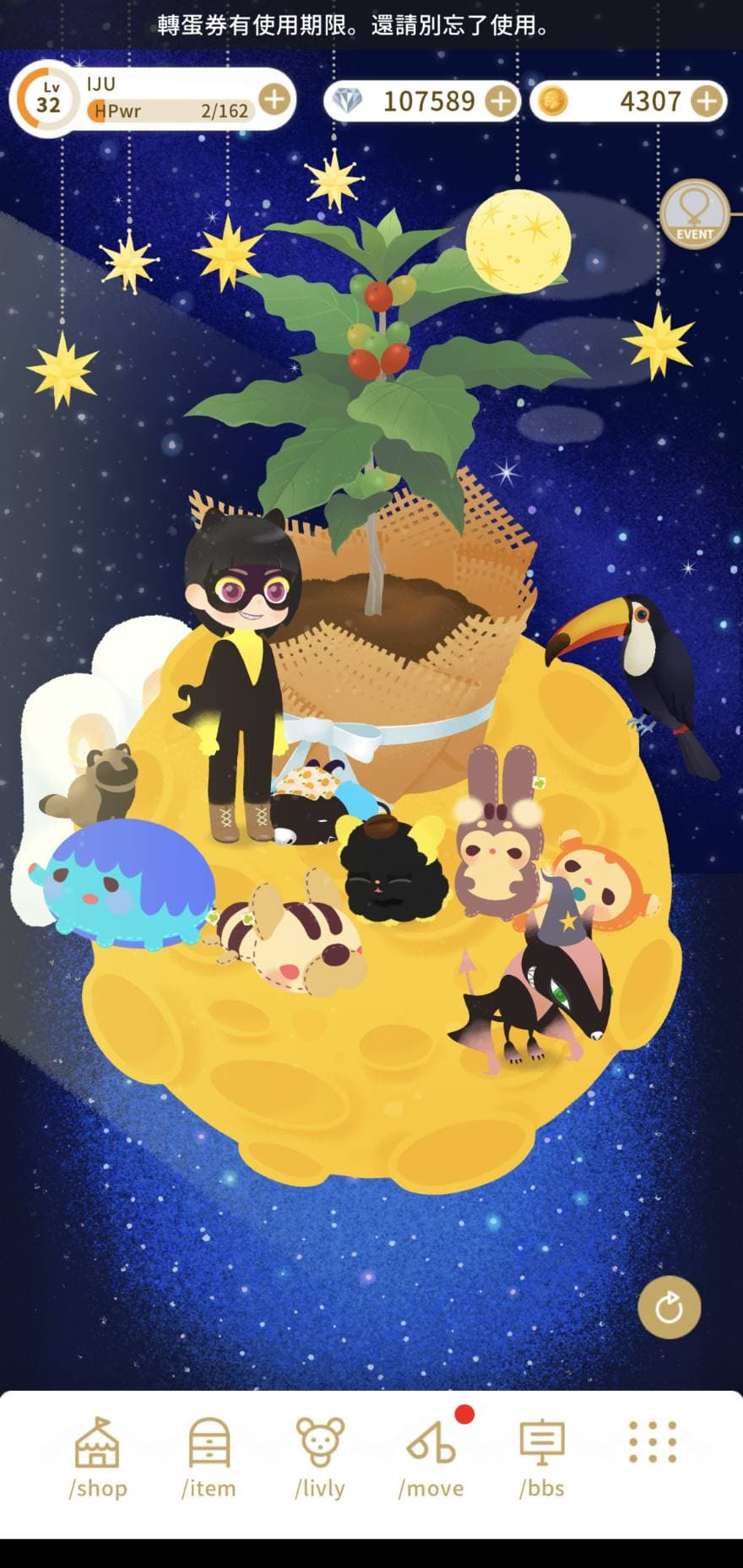
The top bar has three icons, from left to right:
HOM Level & Hom Power
Shows your Hom’s current level, experience, and Hom Power. Hom Power is spent when watering others’ trees or harvesting fruit — both also give you experience. You can spend GP to refill it instantly, but I personally wouldn’t bother since it refills super fast XD
doodoo 💎
Doodoo — as the name implies, it’s your pet’s poop XD
Uses: Buying pet food (bugs) at the “Hermit Crab Food Shop”; buying special items at the “Black Market” (see Q&A for black market details)
How to get it: Have your pet poop when you take care of them, or exchange GP for it
GP
The in-game currency, purchasable with real money.
Uses: Rolling at the “Maharaja Shop,” refilling Hom Power, exchanging for doodoo
How to get it: Real money purchases, watering trees, harvesting fruit
The bottom function bar includes:
shop
- Maharaja Shop: Everything Hom-related lives here — think of it as a gacha machine. You can pull for island decorations, fruit trees, Hom outfits, appearance options, and more. Accepts both GP and gacha tickets.
- Hermit Crab Food Shop: Pet food, buyable with doodoo. [Note: Since doodoo is better spent at the black market on special items, I recommend getting food from bugs collected while helping friends with their trees — unless you want a specific color for your pet.]
item
- Island: Change your island’s decorations
- Hom: Change your Hom’s outfit and appearance
- Livly: Change your pet’s accessories
- Inventory: Check all items you currently own
livly
- Care: Take care of a specific pet — or just tap the pet directly.
- food: Feed your pet to increase their fullness, and possibly change their color or scent. If a pet gets too hungry with no one around, they’ll run away XD Tap the “RGB” symbol in the top right to see your pet’s current color code — useful if you’re targeting a specific color.
- shower: Give your pet a bath. Doesn’t seem to make a huge difference, but if your pet gets too stinky the screen turns yellow, and it really looks gross XD
- poop: Make your pet poop to collect doodoo
- Pet Storage: See how many pets are currently on your island (max 3), and add more storage cages to hold more pets.
- Transformation Potion: Each month you’re allocated four default pet types, so if you want a different kind, you’ll need to brew a transformation potion. Just collect enough fruit and you can brew the potion to transform your pet. Note: once a pet transforms, it can’t go back automatically — but you can always brew the same potion again to transform it back.
move
- Walk: Brings you to the main plaza, where you can interact with other players in real time — moving around, chatting, and participating in the “Bandit Mouse event.” Don’t forget to join that! Walking also seems to affect how much doodoo your pet produces, so it’s worth doing regularly.
- Lab: Visit the director “Aquiles Mura” at the lab — though currently it seems you can only water his plants?
- Thank You: If someone watered your trees, hit “Thank You” to visit their island and tend their trees in return.
- Friends: Visit a friend’s island.
- Random Walk: Visit a random player’s island (great for making new friends)
bbs
- Community: The in-game forum. Highly recommend browsing it when you have time — lots of people answer questions there. Especially check “Shop Discussion Board” → “Black Market Intel” for the daily black market location.
- My Board: Your personal message board, where others can leave you messages.
- Thread Log: Threads you’ve replied to or bookmarked.
menu
Basically everything else lives here! A few highlights:
- Wish List: If you make a habit of adding items to your Wish List (Maharaja Shop → Gacha → Browse — tap the heart icon on any item), friends might send you those items or propose a trade. It’s a fast way to get what you’re after :D
Also, once inside your Wish List, there’s a “Duplicates” tab on the right — you can check which items you or your friends have duplicates of.
If you see something you want in my duplicates list, feel free to propose a trade 😀
Livly Island FAQ
- Q: My pet ran away — what do I do? QQ
A: You can bring them back the next time you log in. - Q: People keep mentioning the “black market” — where is it?
A: The black market entrance changes every day. Check “bbs” → “Community” → “Shop Discussion Board” → “Black Market Intel” for the location people share! - Q: Why do some friends have a gold/silver/bronze badge?
A: It tracks the interactions (watering, messages, gifts, etc.) between you and that friend over the past 14 days including today.
Gold = friend points above 13, Silver = 6–12, Bronze = 0–5.
Tap a friend in your list, then go to “Other” → “Check Friend Points” to see your interaction history. - Q: I don’t want my pet to transform — is there a limit on storage cages?
A: Adding one cage costs 1,000 GP. Japanese players have reportedly tested up to 200 cages. - Q: Do the default pet types ever change?
A: The first three (Tiko, Nene Elephant, Horned Rabbit) are reportedly permanent. A new Tiko, White Tiger, and Blue Phoenix appeared briefly in the past. - Q: What color will my pet be after transforming?
A: If the pet hasn’t changed color before transforming, it’ll become the default color of the new form (e.g., Tiko → Nene Elephant would give you the original blue Nene Elephant). But if the pet has already changed color, the transformed pet will keep that color (e.g., a green Tiko that transforms into a Nene Elephant will be a green Nene Elephant). - Q: Can a transformed pet transform back?
A: Yes, just brew another transformation potion. - Q: Will pets in storage cages also get hungry and run away?
A: Nope. - Q: There are so many pet variations — what’s the difference?
A: Neobelmin is the base form, and Plusterin is a variant. If a pet’s name has a “P” at the end, that’s a variant. To brew a variant, you need the original potion plus matching fruit. - Q: A runaway pet showed up on my island — what should I do?
A: If you feed it, it’ll stick around — you can even make it poop (?) for a free batch of doodoo. The original owner can reclaim it whenever, but you’ll get 100 GP when they do. - Q: Why do some players’ text show up in color?
A: <color=your-color>text</color>
You can use color names (e.g., red, blue) or hex codes.
Thanks for reading :D
If you enjoyed this post, feel free to click the coffee button in the lower right to support us and give Lottery a can 🐾
Comments