life
Notion Tutorial: Building Your Personal CV/Resume with Notion Templates
Why use Notion for your CV?
Because Notion is just so convenient. XD
I used to only update my resume every few months because it meant opening Word or some specific software and sitting down at my computer to do it properly.
But Notion is cross-platform and syncs in real time. If I’m on the bus, in a meeting, or out with friends and suddenly remember something I want to add, I can just do it right then and there.
It already has built-in templates, you can share it as a link, and you can even present your portfolio in something that looks and feels like a proper website — it’s incredibly convenient and actually looks great.
Sure, it’ll never be as polished as something made in Figma or Canva, but for speed and convenience, it’s really hard to beat. XD
I’d also recommend treating it as an ongoing life log of sorts — that way when you actually need to submit a resume, you’re not starting from scratch.
A few times when someone asked for my resume (for a talk or a job opportunity), I’d send over the Notion version first and ask if that worked for them.
If they needed a specific format, I’d send a formatted version separately — but so far, most people have been happy with Notion.
That said, if you’re applying somewhere cold and going through a proper interview process, I’d strongly recommend having a PDF version ready too.
Related Notion posts:
Notion: A Cross-Platform Note App for Notes, Resumes, and Travel Plans
Notion Tutorial: Work and Time Management with Notion
Notion CV demo and template
As I said at the top, this post is about the how, not the what — how to use Notion to build a resume, not how to write a great resume. Every company and role is different, and I’m no expert on that side. For career advice, I’d point you to my wonderful senior Selena C’s personal site 勻端有話, which is packed with job-hunting content. :)
I put together a template with the sections most people will need — just copy it with any Notion account and make it your own: Click here to get the template
You can also browse other people’s templates online — if they built it, you can too, because Notion requires absolutely zero coding knowledge.
It’s also a great option if you want to create a personal website.
Since my resume has my actual headshot and that’s a bit awkward to share publicly, I’ll walk through things using screenshots.
If you genuinely want to see the full version, drop a comment and let me know — I’ll DM it to you. (No need to leave your email in the comments; you already fill it in when commenting. XD)
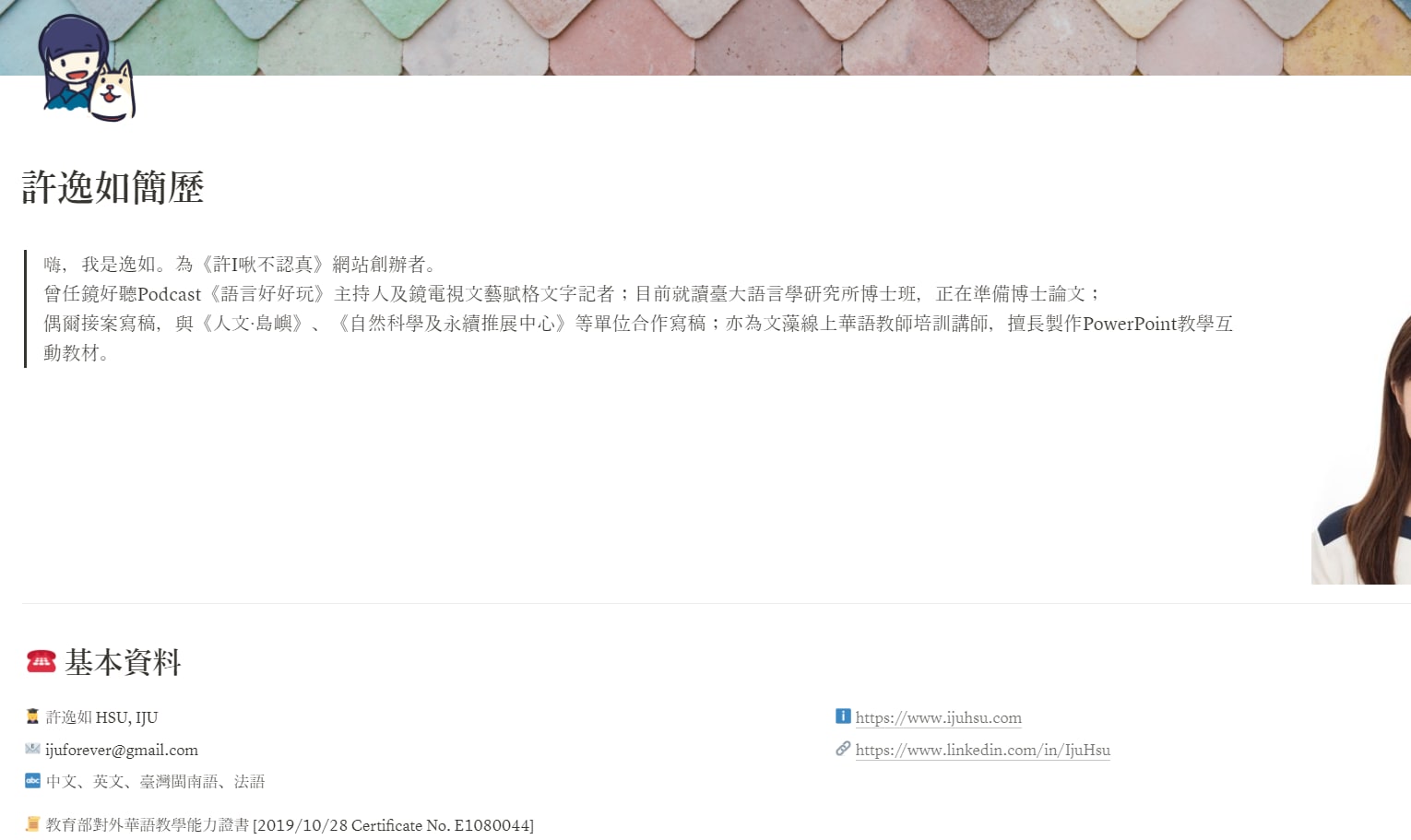
Header section
You can swap out the banner image and icon at the top.
I like to open with a brief summary of the most relevant highlights — current role, a standout experience, etc.
A photo goes nicely on the right side. (Now taking recommendations for where to get professional headshots taken XD)
The second block is for your key contact info.
I’ve included the fields most people tend to need. Things like marital status and address I leave out unless an employer specifically asks.
Licenses and certifications can go here too.
I use icons throughout this section — it makes everything easy to scan and stops the page from being a wall of text.
Education
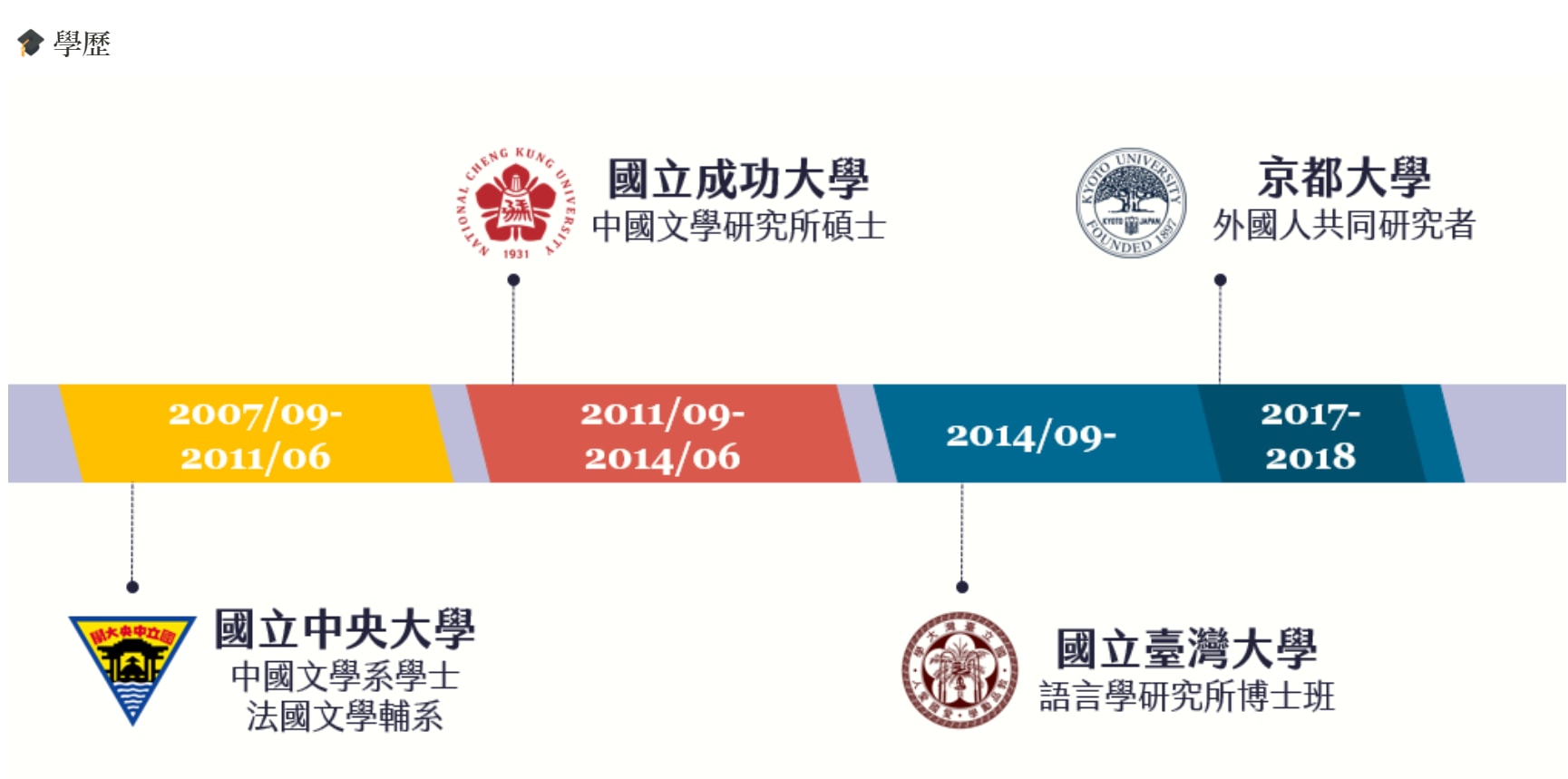
In my case, education is important enough that I put it second. But Selena C had a good point:
I’d strongly recommend moving work experience to the top. Education, unless it’s genuinely exceptional or you’re a recent grad with minimal work history, can go lower — alongside portfolios, volunteer work, and so on. 💪
Adjust the order to fit your own situation (this is where Notion’s flexibility really shines XD).
Since a list of schools and degrees can feel dry, I turned mine into a simple infographic with some images — makes it a lot more visually interesting.
Skills and work experience
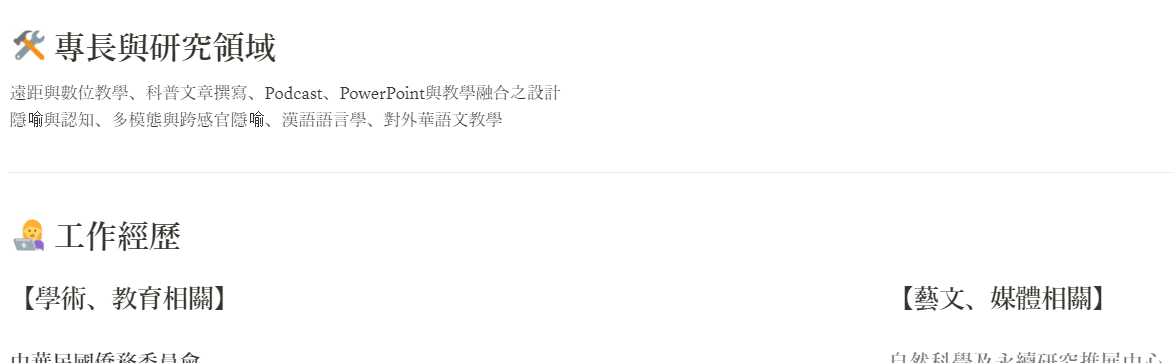
This is the most important section for job hunting. For skills, you can use stars to show proficiency levels — some people use a skill bar style, and I think a visually distinctive approach looks really nice.
My work history is pretty varied so I split it into two blocks.
Portfolio
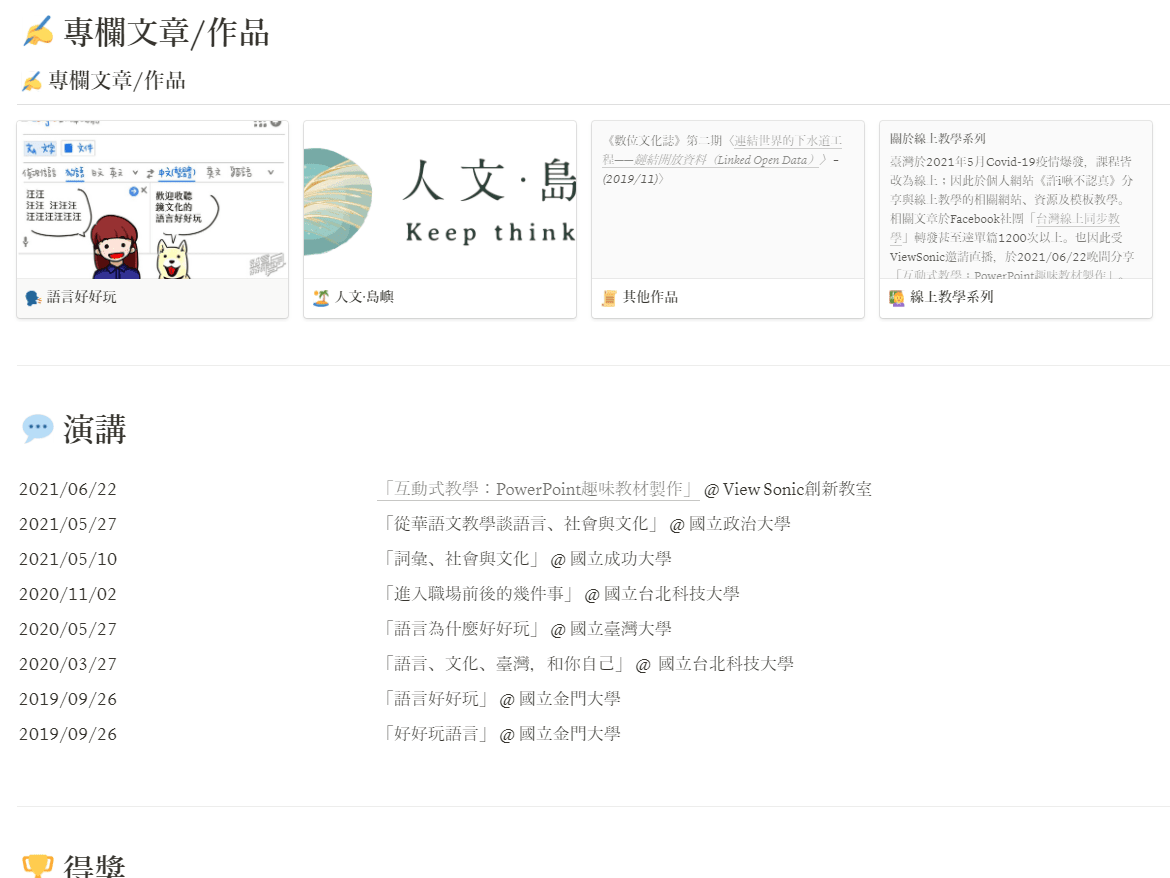
If you have a portfolio to show, I used Notion’s Gallery view for this section — it creates its own sub-pages and lays everything out in a clean grid.
You can click into each item for a more detailed write-up, just like navigating a website.
Add or remove the remaining sections as needed.
Wrapping up
Think of each Notion block as a movable puzzle piece that snaps wherever you want it.
Start from the template and rearrange until you’ve got a layout that feels exactly right for you!

Hope this was helpful — feel free to leave a comment if you have any questions. :)
Thanks for reading :D
If you enjoyed this post, feel free to click the coffee button in the lower right to support us and give Lottery a can 🐾
Comments