life
Notion: A Cross-Platform Note App for Notes, Resumes, and Travel Plans
Why Notion?
I used Evernote for a long time, but gradually found the free tier getting more and more restrictive. After a few sync failures that left me genuinely panicked, I put the question out on social media: is there anything better?
HackMD came up, and it’s great — but it didn’t quite fit my needs.
Then someone suggested Notion. I haven’t stopped recommending it to everyone I meet since. XD
In May 2020, Notion made a wonderfully generous move: the Personal plan no longer has any block limits. In other words, you can store as much as you want. XD
There’s still a Personal Pro tier above that, which adds Version History and future API features — worth considering if you need those. But the free plan is already incredibly capable.
Here’s what I love about Notion:
- Painless migration from Evernote: You can log in with your Evernote account directly in Notion and everything transfers over
- Offline editing: This is partly why I didn’t go with HackMD — I need to be able to work without a connection
- Markdown support with live preview: You can write in Markdown syntax and Notion automatically renders it into something readable (e.g.,
#becomes H1,##becomes H2). You can also export content in Markdown format to share with others — even if you never use Markdown yourself - Collaborative editing: Beyond sharing individual pages or workspaces, you can build shared workspaces with others for collaborative projects
- Cross-platform: Android, Windows, iOS, and web — all covered
- Version history: See recent edits; the paid plan adds the ability to restore previous versions
- Slack channel integration: I haven’t tried this personally but I’ve seen the option — it seems to automatically sync with Slack pages
- Folder-style organization: I naturally group related information into folders, and Notion makes this clean and easy. You can even pick cute emoji to label each folder
- Tags: Makes finding things later incredibly fast
- Templates: Every note can be structured around a template — travel planning, book summaries, resumes — there’s something for nearly any use case
- Embedded content: Embed web pages, images, code, and pretty much anything else right into your notes
Feature Walkthroughs
Notion has been my go-to for notes and information management for a while now. Everyone says it’s great, but what does it actually do? Let me walk through a few features I use regularly as a reference. There are even people who use Notion to build their own personal websites — that’s how versatile it is.
If you have your own favorite use cases, I’d love to hear them in the comments! :D
Making the most of Workspaces
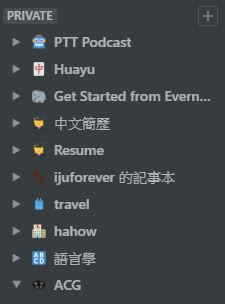
If you’re used to working with a file manager, Notion will feel instantly familiar. The workspace concept is essentially like a folder system — you can create multiple workspaces to house different projects.
As you can see in the screenshot below, I have clear separate workspaces for each active project. When I need something, I know exactly where to look — no more drowning in a sea of disorganized notes.
Information management
I wrote about how I use Notion to organize research in my earlier post Podcast Prep in Solo Mode: Using Notion for 語言好好玩. Here are a few more tips worth highlighting.
Use the Chrome extension
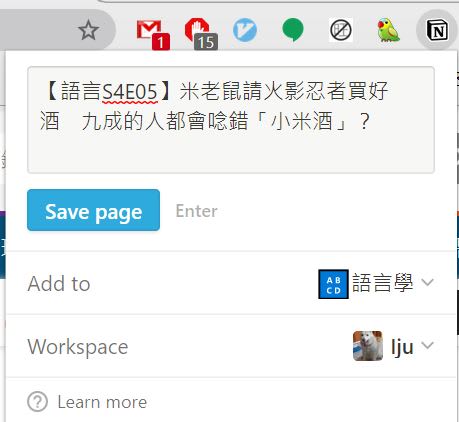
Websites go down, links break, content disappears — so installing the Notion Chrome extension to clip and save full pages is a lifesaver.
How? Just click the Notion extension button.
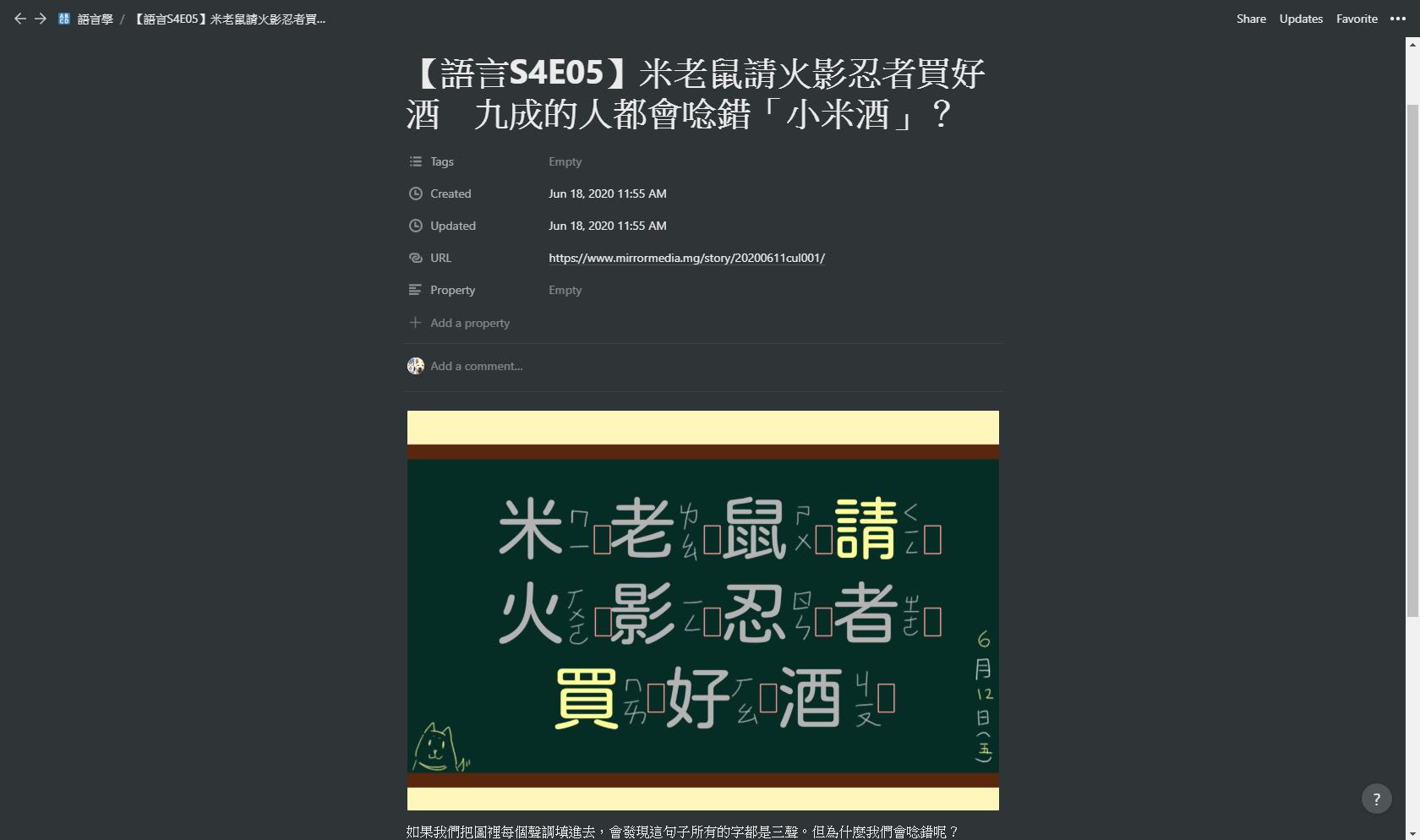
It automatically populates the page title and lets you choose which workspace to save it to. After you hit Save page, all the content — text, images, links — gets pulled in automatically. XD
Use tags
The value of tagging is hard to overstate. Even before you’ve read through something, you can tag it based on the title and opening paragraph. Later, when you’ve forgotten a keyword but remember a theme, tags will surface everything at once.
Use hierarchy
As I described in the podcast prep post, a clear hierarchical structure makes your notes feel genuinely organized. In the context of a blog post or document, each level of the hierarchy is essentially your outline — glance at the headings and you immediately know what each section covers.
Building a resume
Whether you’re job hunting or applying to a program, you need a resume. Most people update theirs in fits and starts — because resumes live in Word files or specialized software, it takes a moment of deliberate effort to even open them.
So what happens when you randomly remember something worth adding — a new project, a skill, an achievement?
Notion has a built-in Resume template that covers pretty much every format you could need. Open it and start filling it in.
Since Notion is always with you as a note app, updating it is easy anytime — and the result looks genuinely polished.
Here’s the template I built in Notion, in case it’s useful to you.
Travel planning
If you travel often, Notion makes a great travel planner.
I prefer building my own layout from scratch, but there are also ready-made Travel Plan templates if you want a head start.
A solid travel plan typically needs tables (itineraries), maps, and images — and Notion’s all-in-one approach handles all of that in one place. XD
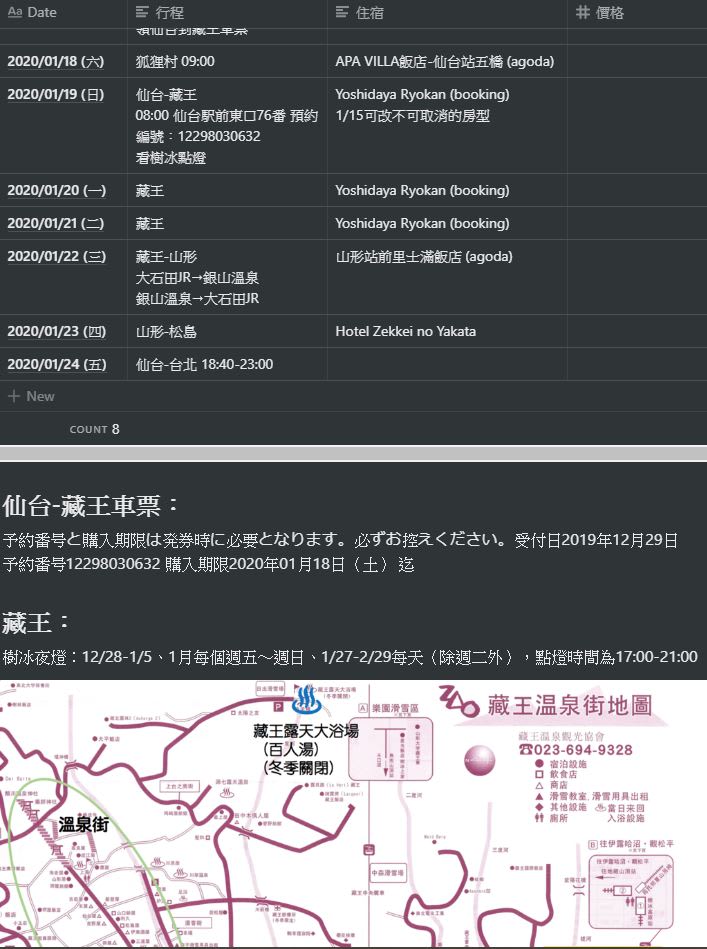
Below is the travel plan I made for a ski trip to Zao and the Fox Village in early 2020.
The itinerary table lays out daily plans, accommodations, and even costs (with a running total — XD).
Maps and images help you quickly locate destinations, and you can embed links to special events or tickets so nothing slips through.
For more intensive itinerary planning, you can also go the simple-but-thorough route: list out all your destinations with clear hierarchy. That way, wherever you are, all your information is right there.
Here’s the travel plan I made for a family trip to Angkor Wat in 2019, for reference. XD
That’s the Notion intro for today — are you tempted yet?
If you’d like to sign up for Notion, you can use my referral link below — we’ll both get some credits. (Sign up without it and neither of us gets anything XD.)
https://www.notion.so/?r=0a24e2fa1a8f49c0903cfd01e4505204
Questions or thoughts? Drop them in the comments below! :D
Thanks for reading :D
If you enjoyed this post, feel free to click the coffee button in the lower right to support us and give Lottery a can 🐾
Comments