6 Years of WordPress → Self-Hosted: Zero Annual Fees, Total Freedom, Full Prompts Included
A complete migration record from deciding not to renew hosting to DNS cutover: rebuilding a bilingual blog with Astro + Vercel, moving images to Cloudinary, replacing comments with Supabase, and building a publishing pipeline along the way.
· 11 min read
Took three months — but honestly, the pure migration part only takes a week. I’ve left all the prompts right here in this post.
This is a full record of how I migrated ijuhsu.com from WordPress to Astro. I started in April 2026 whenever I had free time, and the DNS cutover completed on July 4th — three months in total including a full redesign. If you’re just migrating without redesigning, you can wrap it up in a week.
260 posts, bilingual (Traditional Chinese + English), a custom comment system, 800+ images — if you’re looking to break free from managed hosting and want more control, I hope this saves you some headaches ;)
Skill level required: Basic terminal familiarity (cd, npm run) is enough. No coding required — Claude Code handles all the code, you just need to read it and tell if something looks wrong.
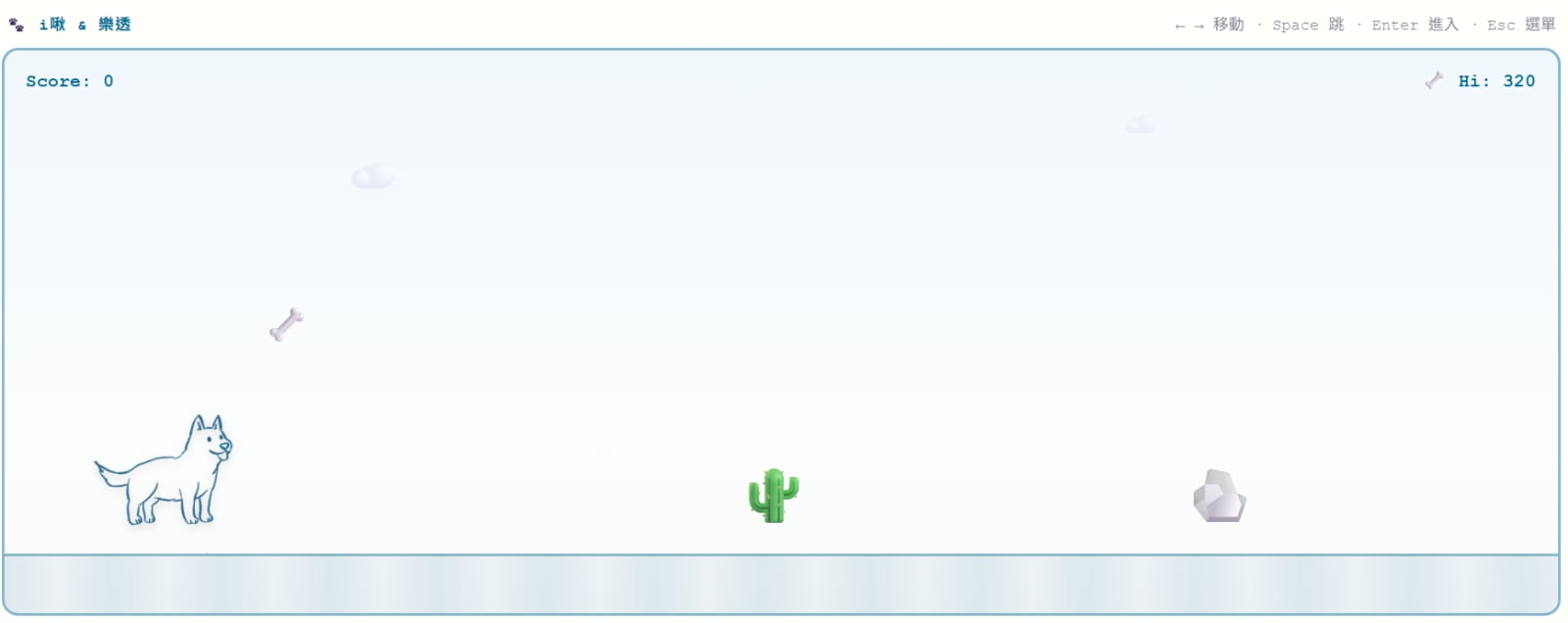
The freedom to turn your homepage into a side-scrolling game!
Why migrate?
ijuhsu — Mostly Harmless launched in 2020 — huge thanks to Selena for teaching me how to set up WordPress back then :D
I was on A2 Hosting shared hosting, a 3-year plan at $503 USD expiring May 2027.
But I kept running into problems…
Cost — $503 was justifiable at the time, but in the AI era, I started questioning whether managed hosting was even necessary
Plugin bloat — I had 14 plugins: SEO, multilingual, image compression, backups, firewall, social posting… each with its own settings page. Conflicts popped up constantly Q_Q. Wanting to tweak a layout meant first figuring out what OceanWP was overriding in CSS…
Freedom — WordPress always has walls you can’t get past
Some recent side projects where I built sites with AI made me realize it wasn’t as hard as I’d thought.
I post infrequently (:P), so my costs would be extremely low — which made self-hosting feel like an obvious move.
After talking it through with Claude Code, I landed on Astro — static output + Vercel free tier, basically zero hosting cost.
It solved every problem I had, so I started chipping away at it on weekends!
The Stack
Here’s what I settled on after working through the architecture with Claude Code:
Astro + Vercel: Static output deployed to Vercel, free tier is more than enough. Astro has native MDX support, content collections keep posts organized, and changing layouts is just editing .astro components and CSS — no admin panel needed.
Cloudinary: Image CDN with automatic WebP conversion and responsive resizing. No need to run <Image /> transforms in Astro. Consistent naming conventions make asset management much cleaner.
Supabase: Replaces WordPress comments with direct PostgreSQL storage. Row Level Security handles read/write permissions; Cloudflare Turnstile added for bot protection.
Telegram Bot: All comment approvals, deletions, and replies happen via Telegram buttons — no admin dashboard needed.
Migration Phases
Phase 0: Build the Foundation
First step: get Claude Code to scaffold the Astro skeleton.
I spent some time on the design side — since my content spans both casual and professional topics, I wanted two distinct Design Systems that would feel clearly different.
I also wanted to preserve some of my illustration style, so I kept things relatively simple for the initial launch.
Casual track: original site color palette with some game elements, sans-serif typography.
Kept the typography simple and clean
Pro track: journal-style layout, deep green color palette with a grid, serif typography.
The grid gives it an academic or professional journal feel :P
On top of the dual-style, dual-language setup (many of my game guide readers are overseas XD), I also needed to get the URL structure right —
Chinese with no prefix, English under /en/. This is the decision with the biggest SEO impact, so it had to be figured out upfront.
Everything gets verified with npm after Claude Code builds it, pushed to GitHub, and Vercel auto-deploys.
Pro tip: For planning, use the highest-tier model (I used Fable or Opus), then hand off execution to Sonnet — it goes much faster that way!
Claude Code Prompt (Phase 0):
I want to migrate my WordPress blog to Astro. Please help me:1. Scaffold an Astro 5 project with MDX content collection support2. Set up bilingual routing: Chinese with no prefix (/posts/slug), English under /en/posts/slug3. Layout: (your call)4. Deployment target: Vercel static outputGive me an architecture plan and folder structure first — I'll confirm before you write any code.
Phase 1: Migrate Images
I expected this to be complicated. It wasn’t — 845 images, and Claude Code wrote a migrate-images.mjs script that handled it:
WP REST API to batch-fetch the media library
Upload directly from URLs to Cloudinary (no local download needed)
Output a WP URL → Cloudinary public ID mapping file
Claude Code Prompt (Phase 1):
Write migrate-images.mjs to batch-migrate a WordPress media library to Cloudinary:1. Paginate through all images via WP REST API (/wp-json/wp/v2/media?per_page=100&page=X)2. Upload each image directly from its original URL to Cloudinary (no local download)3. Output a JSON mapping: { wpUrl: cloudinaryPublicId }Cloudinary naming: /{slug}-{nn} (nn is zero-padded sequential number)WP site URL: https://my-site.comCloudinary credentials from env vars (CLOUDINARY_CLOUD_NAME / API_KEY / API_SECRET)
Took an hour or two to run. 845 images total, 842 uploaded successfully, 3 returned 404 (orphaned files on the WP side QQ). Great success rate.
Phase 2: Convert to MDX
Claude Code wrote migrate-posts.mjs to convert six years of 147 WP posts (the final 260 includes English translations and new posts written in Astro):
Write migrate-posts.mjs to batch-convert WordPress posts to Astro MDX:1. Paginate through all posts via WP REST API2. Convert HTML content to Markdown using turndown3. Replace image URLs with Cloudinary format using the mapping from migrate-images4. Output MDX with frontmatter: title, description, pubDate, lang, slug, categoryClean up: WP shortcodes, [caption] tags, TOC plugin HTML, Elementor markupOutput path: src/content/posts/zh/
The hardest part was cleaning up plugin residue in the WP HTML: shortcodes, TOC blocks, Elementor page builder markup — each one needed its own regex to strip out.
After the script ran, I still needed manual review for categorization — 50 posts ended up getting recategorized.
There’s still some legacy cleanup to do, but the majority of posts are in good shape.
Phase 3: Translations
The English content from WP was scattered — some in the zh folder, some translated, some not.
Got everything organized and filled in 126 English translations using the translate-zh-to-en skill; each still needed manual review — English versions are AI-assisted translations, let me know in the comments if you spot any issues.
Worth noting: if you have special translation rules (like “Lottery” for my dog’s name), make sure to bake those into your skills too.
Claude Code Prompt (Phase 3):
Translate src/content/posts/zh/my-post.mdx to English MDX, save to src/content/posts/en/.- translationKey must match the zh version exactly- Keep the original tone — don't over-formalize- Don't translate proper nouns or tool names (Astro, Cloudinary, etc.)- List any special translation rules upfront (e.g. "樂透" → "Lottery")
Phase 4: Migrate Comments
326 WP comments total. Claude Code wrote migrate-wp-comments.mjs for a two-pass import:
first insert top-level comments, then insert replies (preserving parent_id nesting).
There are pre-built plugins for this, but some require a GitHub account (many of my readers don’t have one) and others cost money.
After some research I went with Supabase as the backend, plus Cloudflare Turnstile for bot protection — cuts out most spam.
I also added Telegram notifications for comment review and replies, so I never have to touch an admin panel!
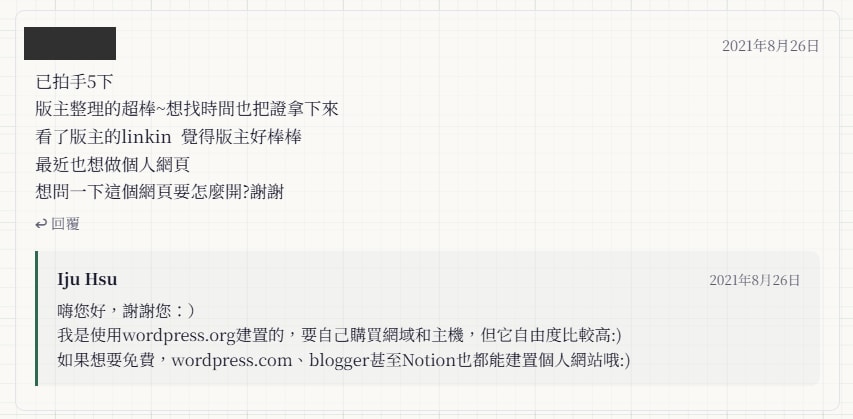
Clean and minimal comment section that matches the page style!
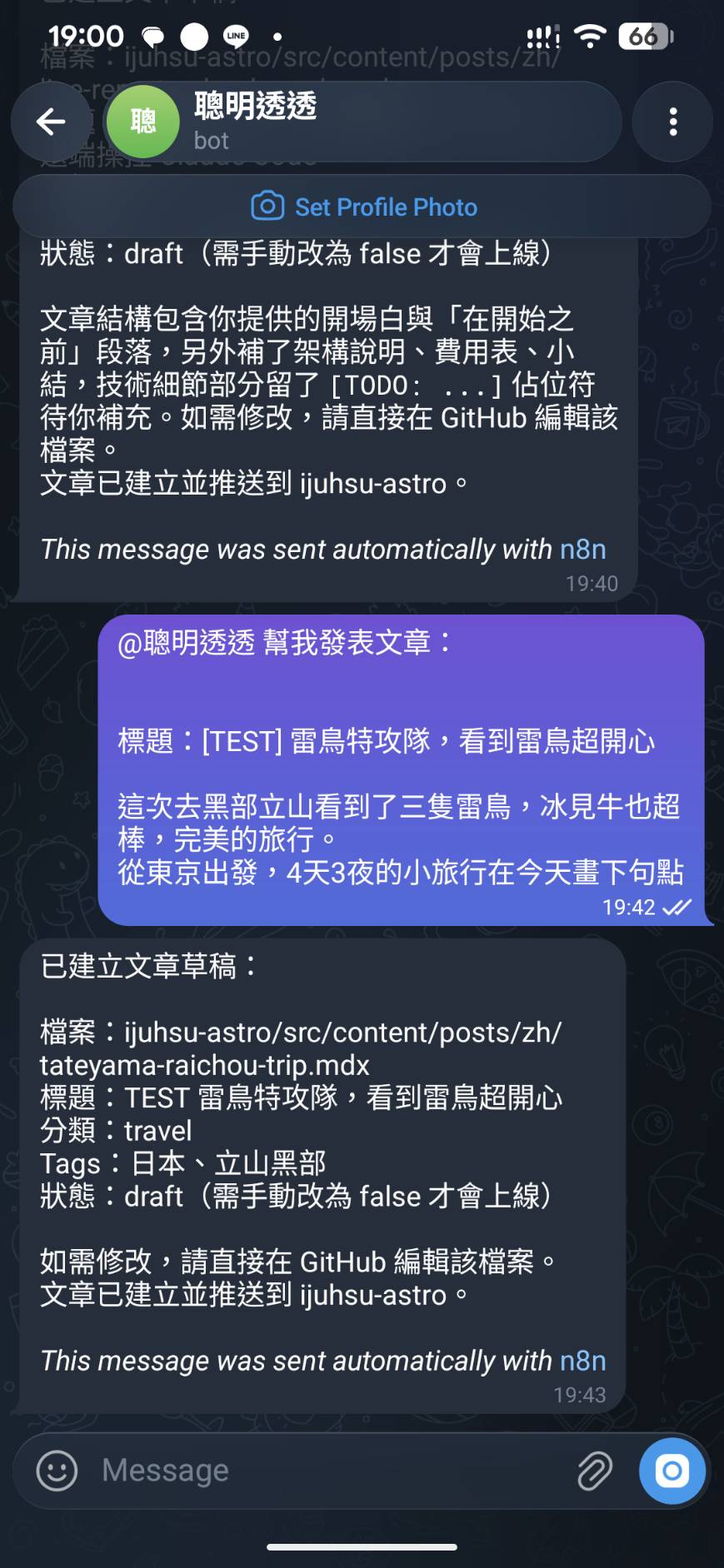
New comments get moderated right from Telegram
Claude Code Prompt (Phase 4):
Write migrate-wp-comments.mjs to import WordPress comments into Supabase.Table schema: id, post_slug, parent_id, author_name, content, created_at, approvedProcess:1. Fetch all approved comments via WP REST API (/wp-json/wp/v2/comments?per_page=100&status=approved)2. Two-pass insert: first top-level comments (parent=0), get new IDs, then insert replies (matching parent_id)3. Parse post_slug from the comment's link fieldSupabase connection via env vars (SUPABASE_URL, SUPABASE_SERVICE_KEY)
Phase 5: SEO / Redirects
This step is easy to skip but the most important. All old WP URLs (/archives/12345, /?p=xxx) need 301s to the new URLs — otherwise Google has to re-crawl everything from scratch and you lose accumulated rankings ;_;
Claude Code programmatically generated 262 redirect rules from the post list, written directly into astro.config.mjs. Also added JSON-LD schema, hreflang cross-referencing, a custom 404, and llms.txt.
P.s. I built my own 404 page too :D
Claude Code Prompt (Phase 5):
My WP URL formats include: (list yours here)New URL format: /posts/{slug} (Chinese), /en/posts/{slug} (English) (adjust to match yours)Read the frontmatter from src/content/posts/zh/*.mdx and generate a redirects arrayfor astro.config.mjs, mapping all old URL formats to the new slug with 301s.Also add:- hreflang cross-referencing (zh ↔ en)- JSON-LD Article schema- sitemap (@astrojs/sitemap)- Custom 404 page
The Move! DNS Cutover
Once everything was verified and all the images and content were in place, I cut over on 2026/07/04!
Since I was already on Cloudflare, I deleted the A2 Hosting A record, added a CNAME pointing to Vercel, and set it to DNS only so Vercel could auto-provision SSL.
I thought setting up redirects beforehand was enough — but analytics still showed 404s after launch. The reason: Google had old WordPress URLs indexed that weren’t just “old post URLs.”
A few unexpected gotchas:
1. WP auto-appends -2 to English slugs
WordPress treats zh and en posts as separate articles. When both have the same slug, the second one created gets a -2 appended. So Google’s indexed URLs for English posts look like:
/en/n8n-learningjapanese-2/ ← not the actual slug, WP auto-added this/en/phd2uxr-2/
There were 130+ posts with this pattern — all needing individual redirects.
2. WP special pages and taxonomy URLs
WP tag pages use /tag/:tag/, but my Astro site uses /tags/:tag/ (with an s);
the contact page /contact/ doesn’t exist in Astro — needs to redirect to /about/;
old category pages /category/:cat/ need to redirect to /:cat/.
How to find what’s still broken
Google Search Console’s “Not found (404)” report is the first place to look.
You can also search site:yourdomain.com in Google to see all indexed pages and check whether they still open correctly.
My vercel.json ended up going from a planned 262 rules to 844 after plugging all the gaps. Once 301 redirects are in place, Google’s crawlers will eventually transfer the old rankings to the new URLs.
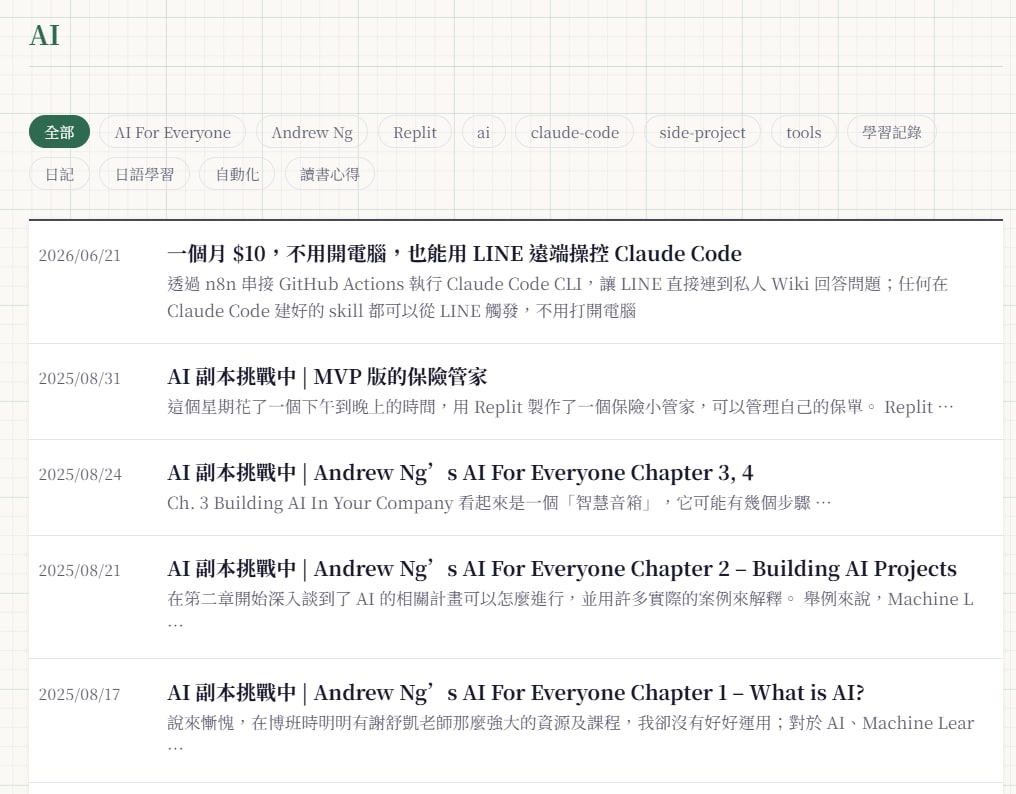
Publishing now has two paths: short posts go via Telegram → n8n → GitHub Actions auto-commits a draft MDX (see this post for how that pipeline works — I gave it edit access!);
Quick posts straight from Telegram!
Longer posts still go through the Claude Code pipeline (draft → images → fact-check → translate → publish).
How Much Faster Is It?
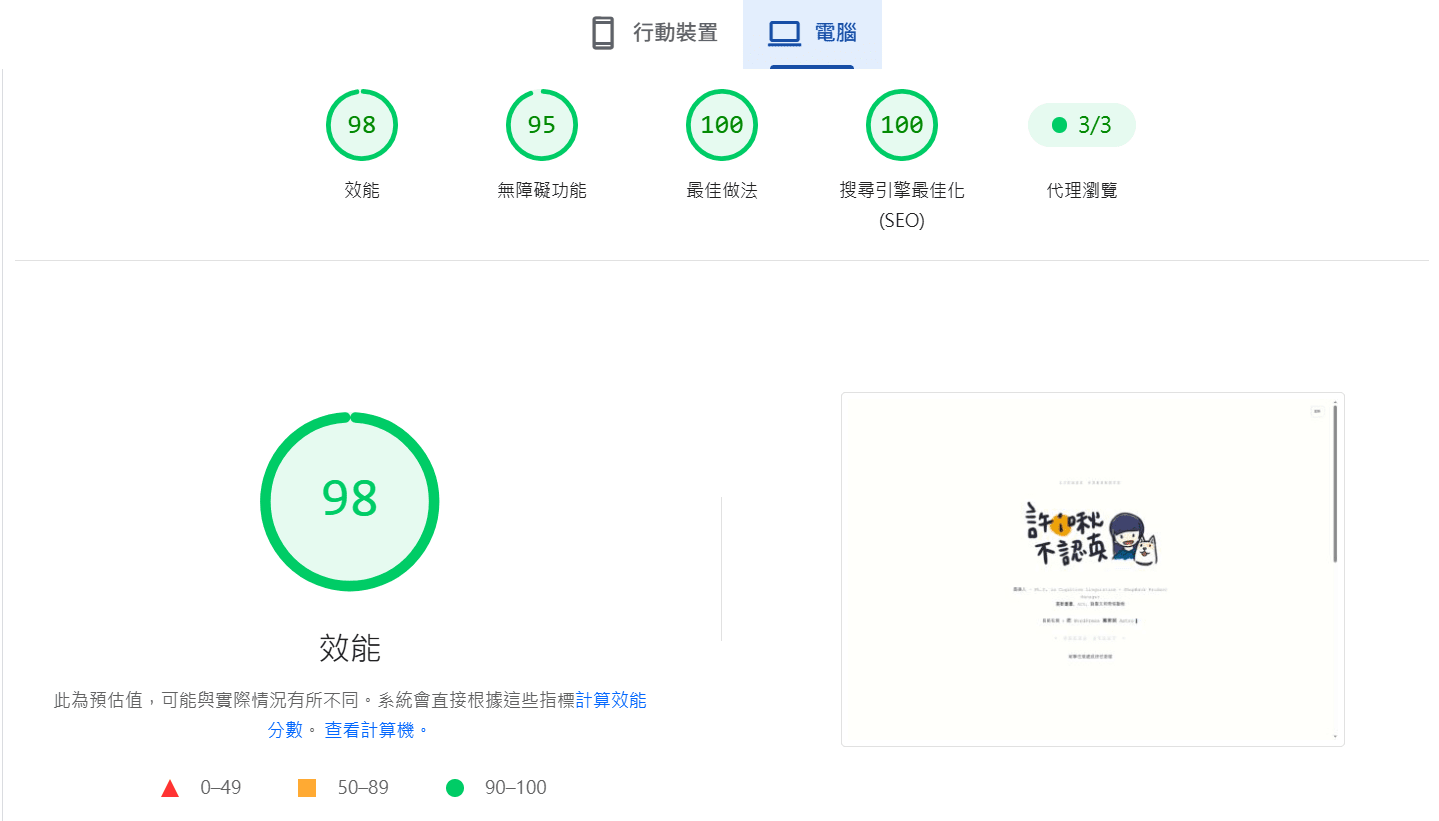
PageSpeed was always a pain point on WordPress — tried everything, nothing really moved the needle. After the migration I ran PageSpeed Insights immediately:
Metric
WordPress era
Astro + Vercel
PageSpeed (desktop)
Can’t retest (site is down)
99 / 100
PageSpeed Mobile Lighthouse
Couldn’t get it up (est. 30–50)
55 / 100
LCP (desktop)
—
0.9s
FCP (desktop)
—
0.7s
Mobile 55 isn’t ideal, but the context is “slow 4G throttling” simulation (1.6 Mbps), and CJK fonts (Noto TC) are inherently heavier. Claude Code noted that Taiwanese users on actual WiFi / 4G are closer to the desktop experience, so I left it there. The WP era on A2 Hosting shared hosting was worse — PHP processing time + 14 plugins’ worth of JS was a mess.
Used to hover around 40–50. Seeing 99 was genuinely moving!
A few optimizations after the migration:
Google Fonts switched to async loading (no more render blocking)
Cloudinary images in posts now have srcset (480/800/1200/1600w) + lazy loading
Homepage sprite PNG → WebP (3.2 MB → 560 KB)
All of these made a real difference :D
Was It Worth It?
Aspect
WordPress + A2 Hosting
Astro + Vercel
Hosting cost
$503 USD / 3 years
Free (Vercel Hobby)
Plugin dependencies
14 (SEO, backups, firewall…)
0
Making changes
WP admin + theme CSS overrides
Edit .astro components directly
Deployment
FTP / WP admin manual updates
git push → auto-deploy
Post storage
MySQL database
MDX plain text, git version control
Image handling
WP plugins (Smush etc.)
Cloudinary auto WebP + resize
Comment moderation
WP admin dashboard
One-tap approval in Telegram
PageSpeed (desktop)
Est. 30–50 (hard to improve)
99 / 100
PageSpeed (mobile)
Worse
55 / 100
Customization
Constrained by theme and plugins
Complete freedom
Huge hosting savings, change the design whenever I want, no more plugin version conflicts.
Writing posts is less visual than before since it’s plain text files in git — but if you’re comfortable with Markdown it’s actually faster than the WP editor.
The cost was time — about three months, but mostly because I only worked on it when I had free time (my plan doesn’t expire until next year, and I was juggling other projects like LinguaPass XD).
I only used Claude Code on Pro tier, and whenever I hit my rate limit I’d just go do something else XD
If you only have 20–30 posts, just stay on WordPress.com — it’s honestly fine for that.
But at 260 posts, bilingual, wanting full control? Totally worth it. And now I can put Lottery everywhere. Perfect XD.
WP → Astro Migration Checklist
Follow this order and you won’t miss anything:
Before you start
Decide on your tech stack (Astro version, deployment platform)
Design your URL structure (language prefix, slug format) — this is the hardest decision to change later, lock it in first
Create Cloudinary / Supabase accounts (if self-hosting comments), get API keys
Phase 0: Build the foundation
Astro scaffold + content collection schema
Bilingual routing setup
Layout components (including dual design system if applicable)
Deploy to Vercel, confirm CI/CD pipeline works
Phase 1: Migrate images
Write script to batch-upload WP media library to Cloudinary
Output WP URL → Cloudinary publicId mapping file
Verify mapping is complete (check for 404 orphans)
Phase 2: Convert posts
Write script: WP REST API → turndown → MDX
Clean up plugin residue (shortcodes, Elementor markup, TOC HTML)
Replace image URLs (using Phase 1 mapping)
Manual review of categories, reassign as needed
Phase 3: Translations
Organize existing English content, fill in translationKey pairs
Batch translate (Claude Code assist)
Manual review of tone and proper nouns for each post
Phase 4: Comments
Create comments table (Supabase)
Write two-pass import script (top-level first, then replies)




Comments